Using the Email Task List
Issue 1.0 June 2002 89
A good deal of information about your email contacts is displayed in the small space of the Email
task list by visual cues, including icons and text.
Icons in the Email Task List
If you pay attention to the icons in the task list, you can see at a glance a lot of useful information.
There are three columns of icons in the Email task list, which are as follows:
n
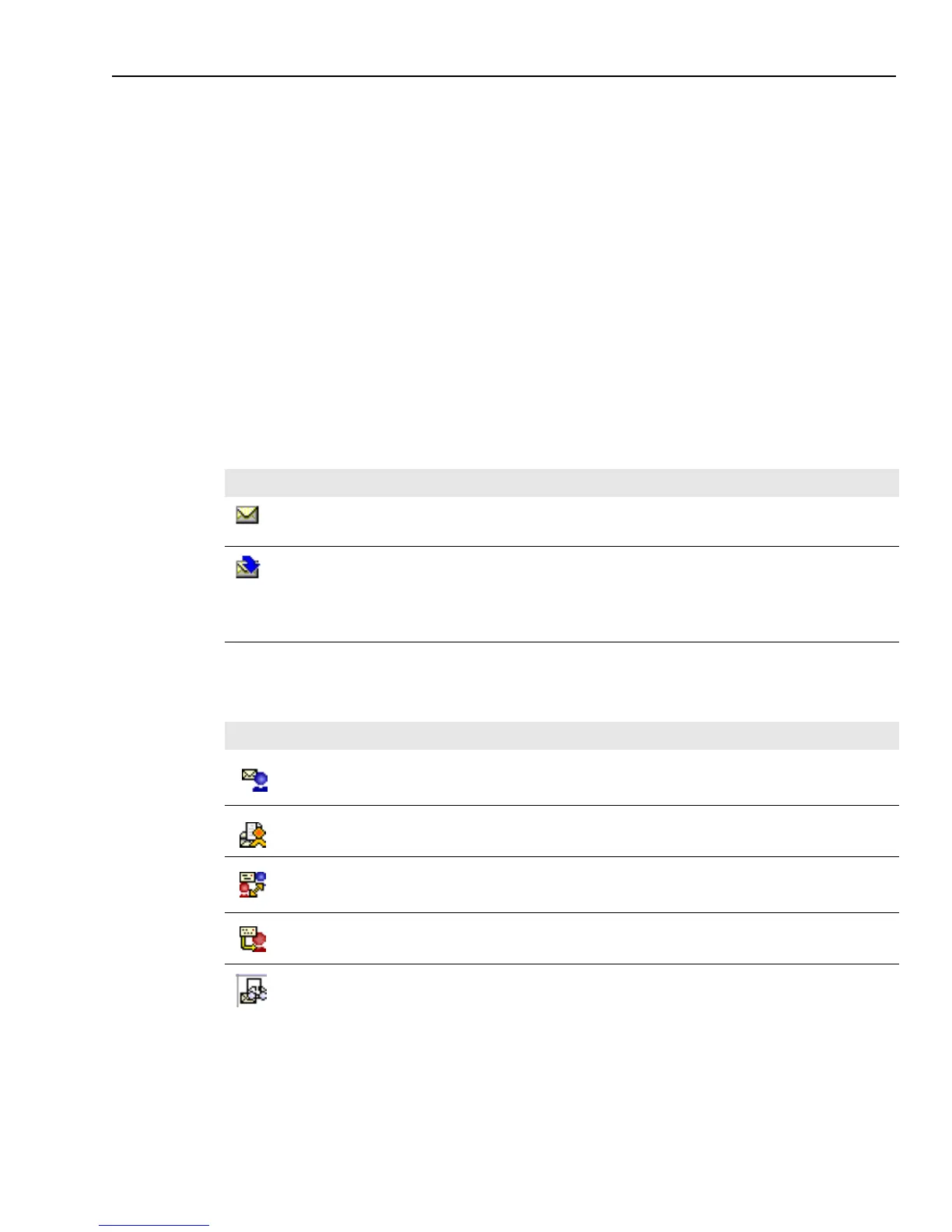
First column – The icon in the first column is an envelope to indicate that this is an email. If the
email has been transferred, an arrow is displayed to the side of the envelope.
n
Second column – The icons indicate the source of the email, such as a reply from an external
agent or an email that has been rejected during Quality Assurance.
n
Third column – The icons in the third column show the status of the email, such as whether it is
deferred or wrapped.
The icons in the first column of your Email task list tell you the state of each email contact, as
shown in the following table:
The icons in the second column give you information on the source of each email contact. You
may see icons representing the following sources:
Icon Description
The email contact is active.
You have transferred this email to your supervisor or to another agent. The contact remains in
your task list until you wrap it up.
Note: If “malformed error” is displayed when you transfer an email to another agent, contact
your administrator to validate that this agent has been assigned a valid email address in IC
Manager.
Icon Description
A reply to a normal email sent to the customer by the agent
A reply from an external agent
A reply from a customer to a request for additional information
A reply to an email you forwarded.
An email composed by another agent and forwarded to you for approval (Quality Assurance)



 To Next Page