Chapter 2 Managing Avaya Agent
44 Avaya Agent User’s Guide
Logging In and Out of Media Channels
When you log in to Avaya Agent, you log in to all the media channels (Voice, Email, or Chat) for
which you are enabled. However, you can also log in and out of individual media channels if you
want to limit your contacts to one or two channels at a particular time. For example, you may want
to log in to the voice channel and log out of email and chat channels. Then you will receive new
voice contacts only.
The login and logout options in the Avaya Agent pop-up menu change, depending on your current
state in a media channel. For example, if you are logged in to the Email media channel, you see the
Email Logout option in the menu, not the Email Login option.
Tip: If you are logged in to either email or chat, you can see the following Web Agent icon
displayed in the task bar. You can double-click this icon at any time to bring up the Web Agent.
Note: When you log in to Outbound Contact, you cannot log in to the channels on the Media tab.
For more information, see “Logging In to Outbound Contact,” on page 181 and “Logging Out of
Outbound Contact,” on page 194.
To log in or out of a media channel:
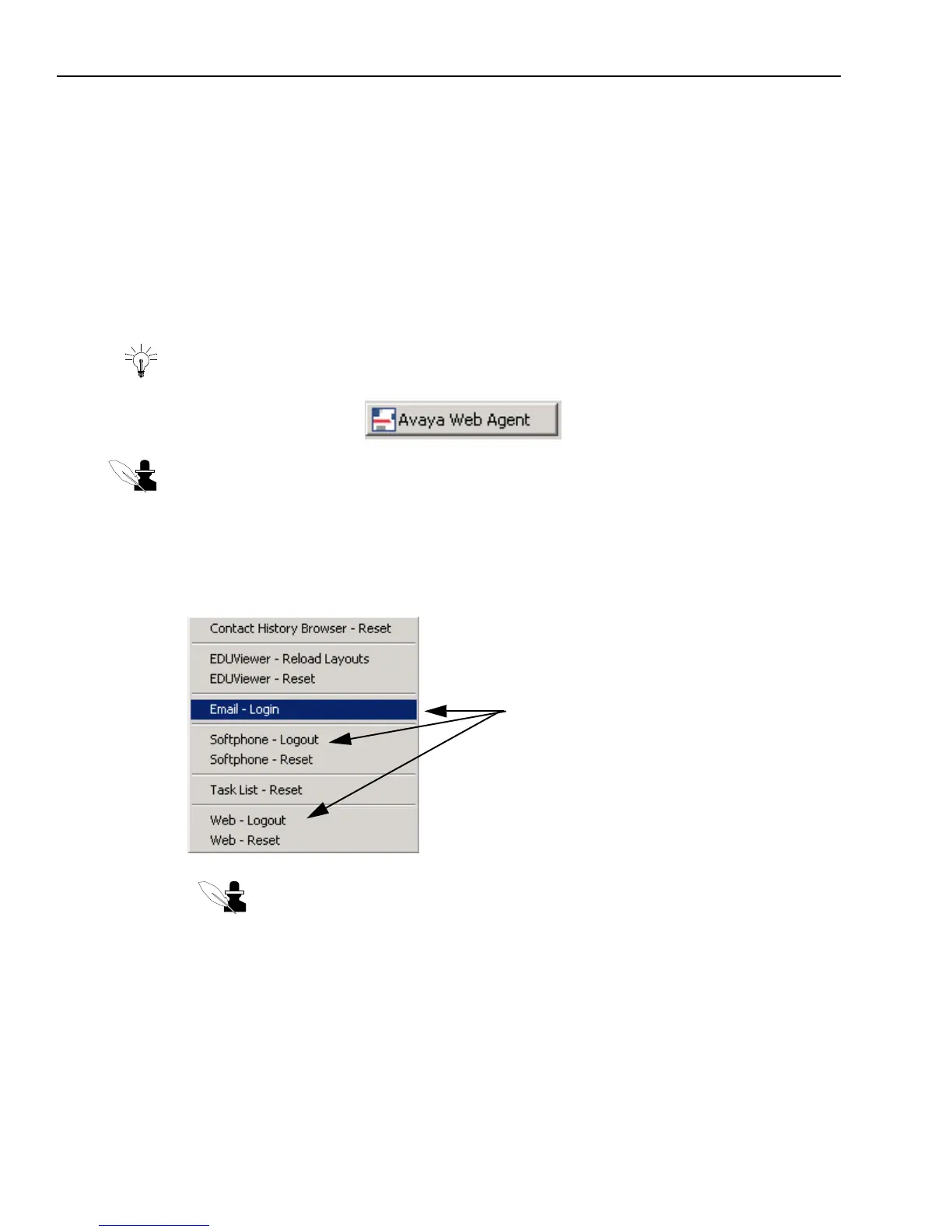
1 Right-click any blank area of Avaya Agent to display the pop-up menu, shown in the following
illustration.
Note: If you are logged in to a channel, the menu option for that channel says
“Login.” If you are logged out of the channel, the menu option says “Logout.”
2 From the pop-up menu, click one of the following:
w
Email - Login (or Logout) – Lets you log in to (or log out of) the email channel and respond
to email contacts.
w
Softphone - Login (or Logout) – Lets you log in to (or log out of) the voice (telephony)
channel and respond to voice contacts.
Click the appropriate menu option
to log in or out of a media channel



 To Next Page