Chapter 2 Managing Avaya Agent
68 Avaya Agent User’s Guide
Using the WrapUp Dialog Box
Most contact centers document the reason and outcome of customer contacts through the use of
one or more of the following wrap-up fields:
n
Category
n
Reason
n
Outcome
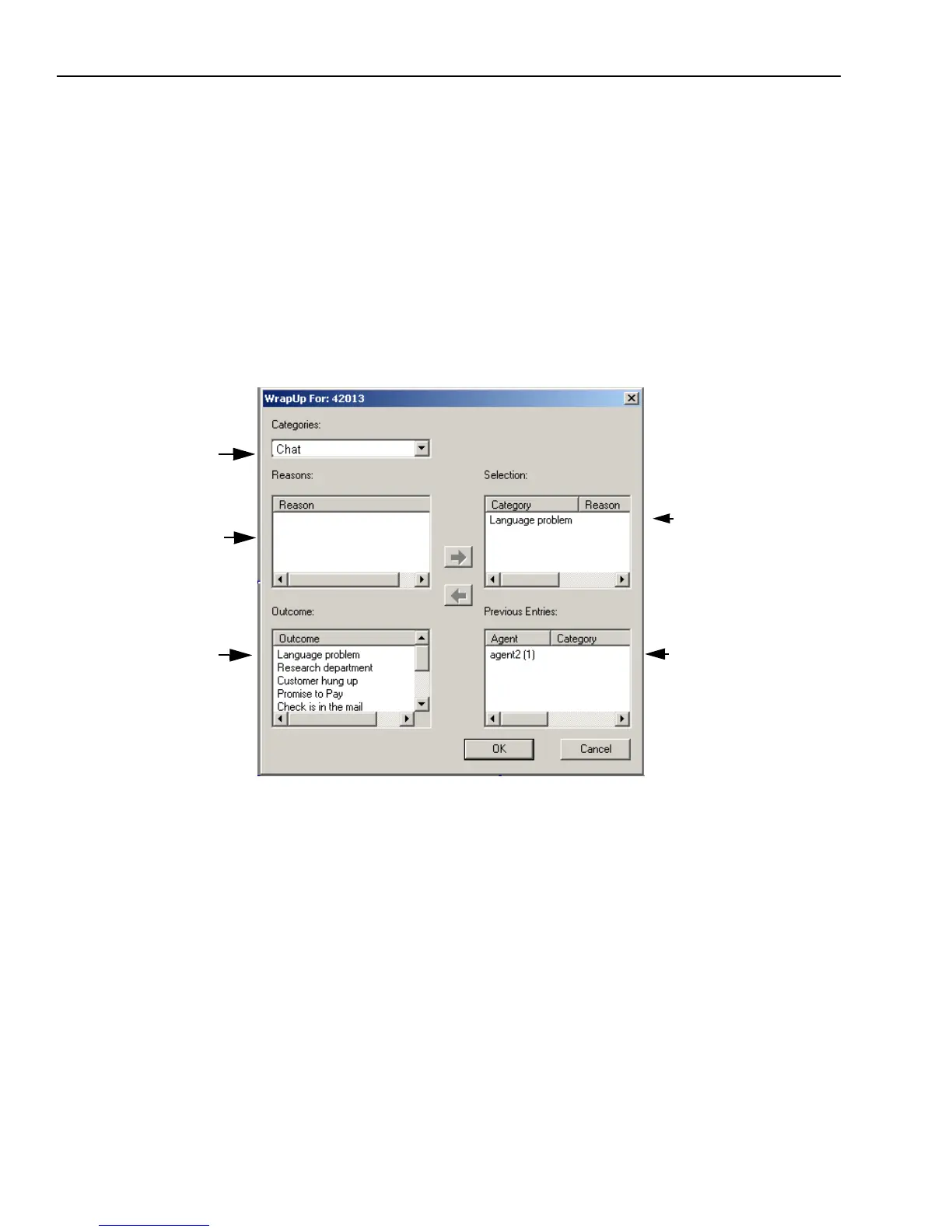
The lists on the left side of the WrapUp dialog box contain information available for you to select,
as shown in the following example. The lists on the right side contain the information you selected
and previous entries that you or another agent selected to wrap up previous contacts with the same
customer.
You may need to enter information in one of the following areas, or any combination of these:
n
Category – You may see a category for each of the media channels in this drop-down menu. Of
you may see another type of grouping of a set of reasons (for example, Balance Inquiry or
Cancellation Request).
n
Reason – This information specifies the purpose of a customer’s contact or the intent of the
work you performed.
n
Outcome – This information specifies the action you took or the result of your activity on a
contact.
The Previous Entries field provides the following information:
n
The login ID of the agent who entered the wrap-up information
Information
you selected
Category
Reason
Outcome
Previous
Entries



 To Next Page