Web Agent
Issue 1.0 June 2002 31
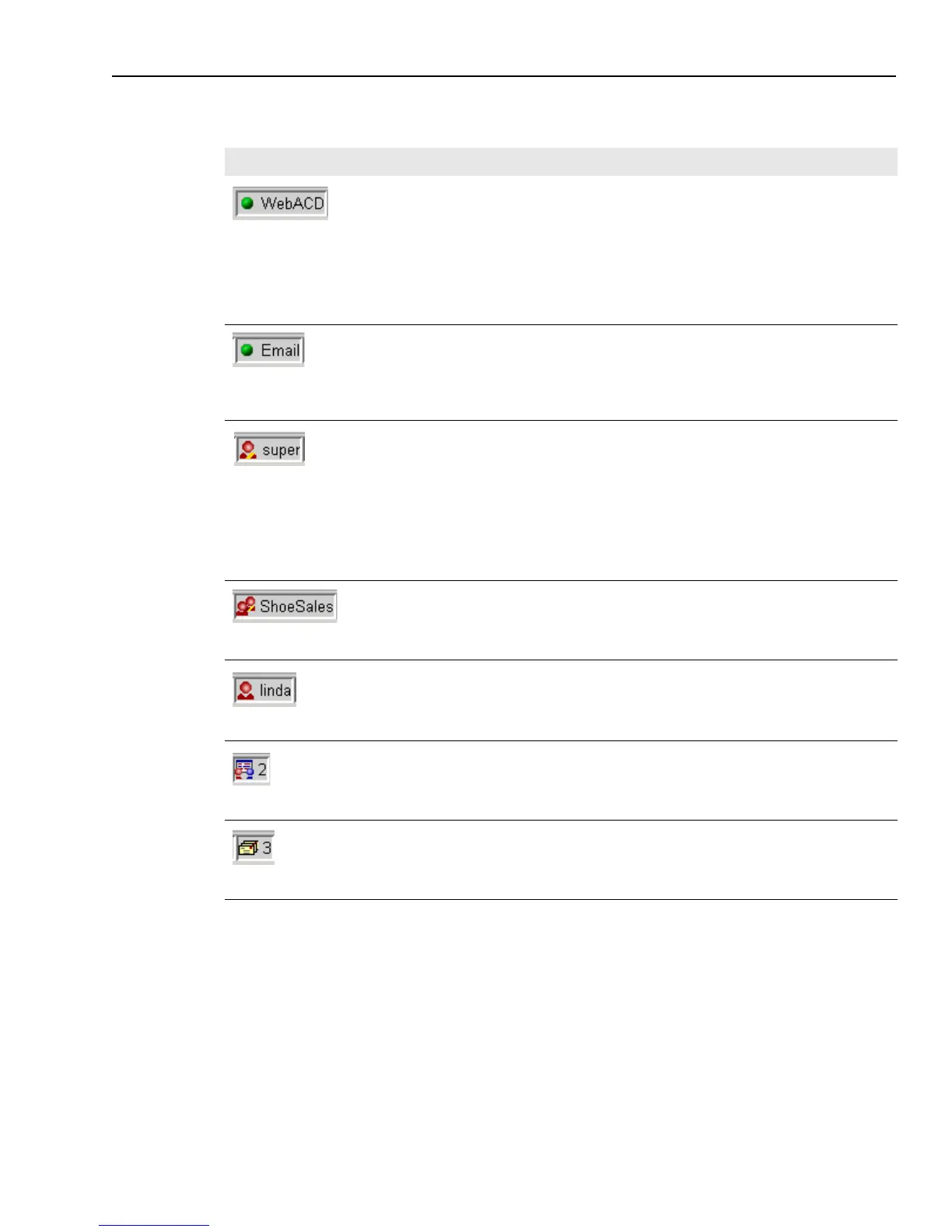
The following table describes the icons on the Web Agent Status Bar, from left to right.
Icon Description
WebACD
Connection status
Shows the status of your connection to the WebACD Server (Web Automatic Call
Distribution Server) with the following colors:
n
Red – Your Web Agent is not connected to the WebACD server.
n
Orange – Your Web Agent is in the process of connecting to the WebACD
server.
n
Green – Your Web Agent is connected to the WebACD server.
Email Server
Connection status
Shows the status of your connection to the Email Server, which handles your email
contacts. The colors are the same as for the WebACD Server.
Supervisor status
If you are an agent, shows your supervisor’s login ID and indicates whether the
supervisor is currently online. The supervisor icon has a stripe on the shirt so you
can distinguish it from your own icon. The shirt color indicates your supervisor’s
login status, as follows:
n
Grey – Your supervisor is not online.
n
Red with yellow stripe – Your supervisor is online.
If you are a supervisor, the Status Bar does not have a Supervisor icon.
Workgroup
The name of the workgroup to which you belong. The icon does not change color.
Agent status
Displays your login ID and login status with the following shirt colors:
n
Grey – You are not logged in to the Web Agent.
n
Red/Yellow – You are logged in and available to take at least one contact.
Chat status
Shows your availability for chat and, if you are available, your chat channel load
(the maximum number of chat customers you can currently handle at the same
time). Zero means that you are currently unavailable to help chat customers. The
icon does not change color.
Email status
Shows your availability for email and, if you are available, your email channel load
(the maximum number of email customers you can currently handle at the same
time). Zero means that you are currently unavailable to receive email contacts. The
icon does not change color.



 To Next Page