Chapter 2 Managing Avaya Agent
54 Avaya Agent User’s Guide
To filter contacts in the Contact History Browser:
1 Click the Contact History Filter button. This is the top button between the two boxes of the
Contact pane.
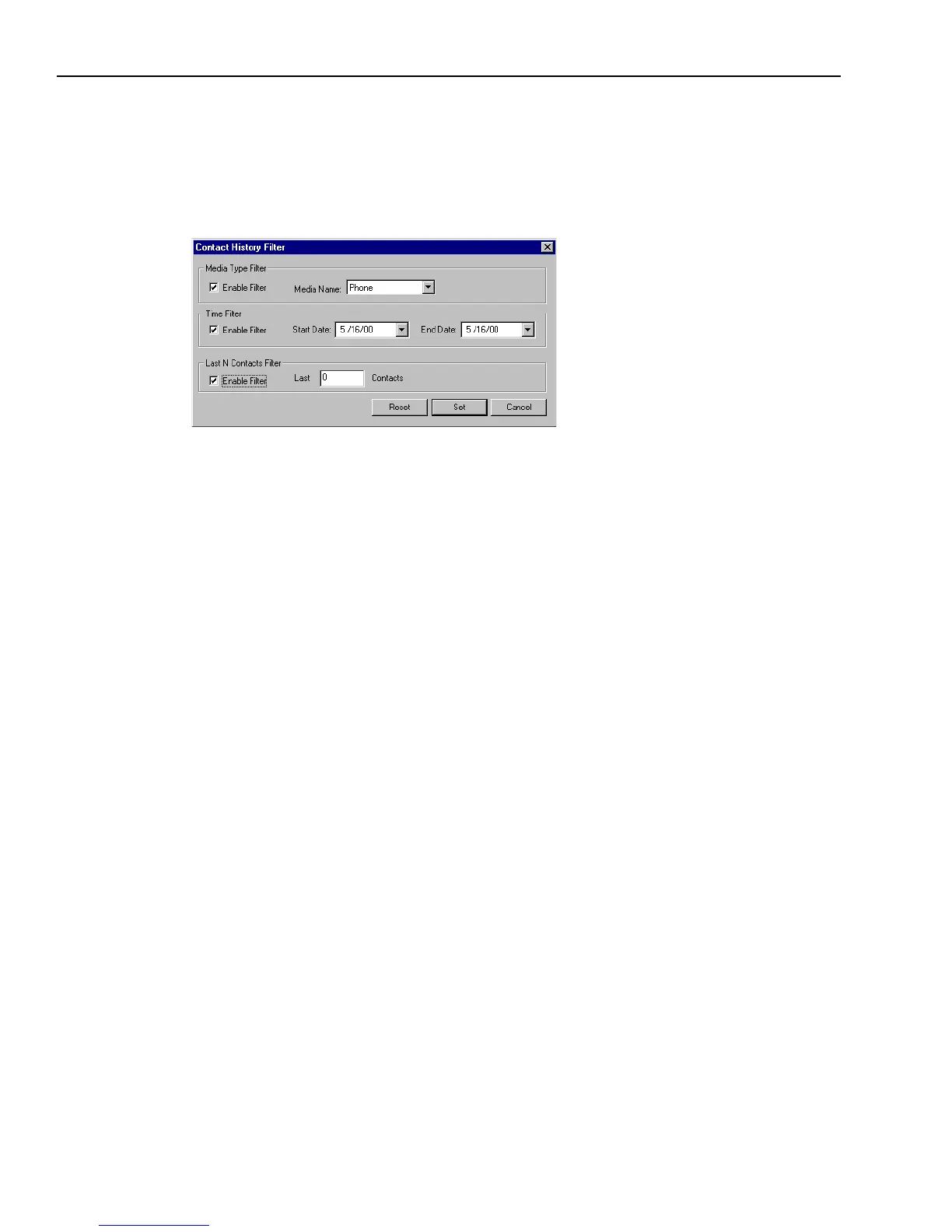
The Contact History Filter dialog box is displayed.
2 Select the Enable Filter check box for the desired filter or filters.
3 Complete the required fields for the selected filter or filters, as follows:
w
Media Type Filter – Select Phone, Email, or Web from the Media Name list.
If you want to view contacts of all media types, do not click this filter.
w
Time Filter – Click a start date and an end date in the drop-down lists.
w
Last N Contacts Filter – Enter a numerical value for the last number of contacts you want to
view (for example, enter 10 to view the customer’s last ten contacts).
4 Click Set.
Clearing Contact History Filters
To clear all contact history filters:
1 Click the Contact History Filter button.
2 In the Contact History Filter dialog box, click Reset.



 To Next Page