Using the Unified Agent Directory
Issue 1.0 June 2002 57
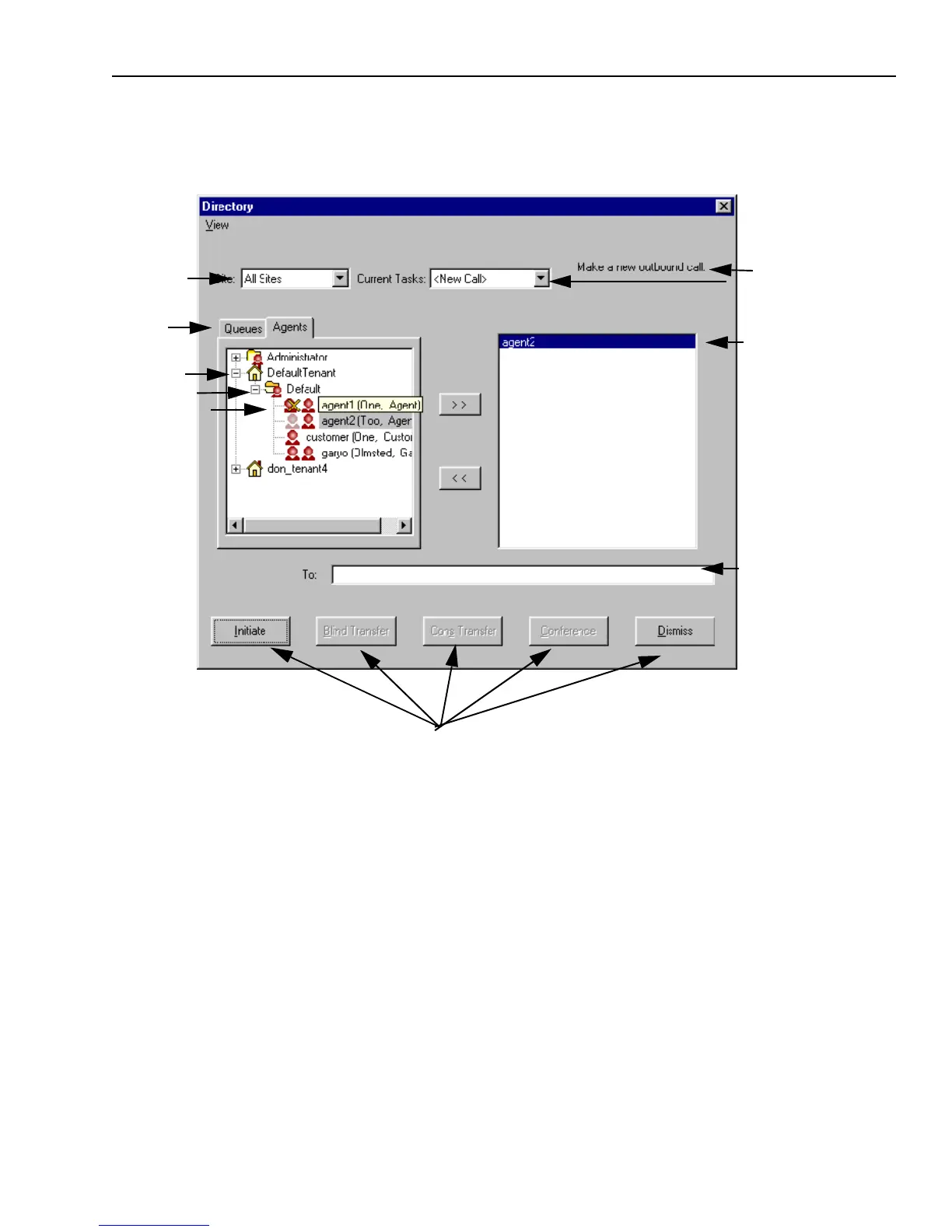
You can use the UAD in various ways, depending on how it is set up at your contact center and
what you want to do. An agent is using the UAD in the following illustration to initiate a voice
contact:
You can use the UAD for the following purposes:
n
“Looking Up Information,” on page 58
n
“Initiating a Voice Contact,” on page 81
n
“Transferring a Voice Contact,” on page 77
n
“Transferring a Chat Contact,” on page 142
n
“Sending an Email to an External Agent,” on page 103
n
“Transferring an Email Contact,” on page 105
n
“Originating an Outbound Email,” on page 113
Task description
Selected item
Text field for name, address,
telephone number
Command buttons for various operations, depending on media and task you are performing
Tenant
Tabs
Workgroup
Agent
Site menu
Menu of current contacts



 To Next Page