Using the Unified Agent Directory
Issue 1.0 June 2002 59
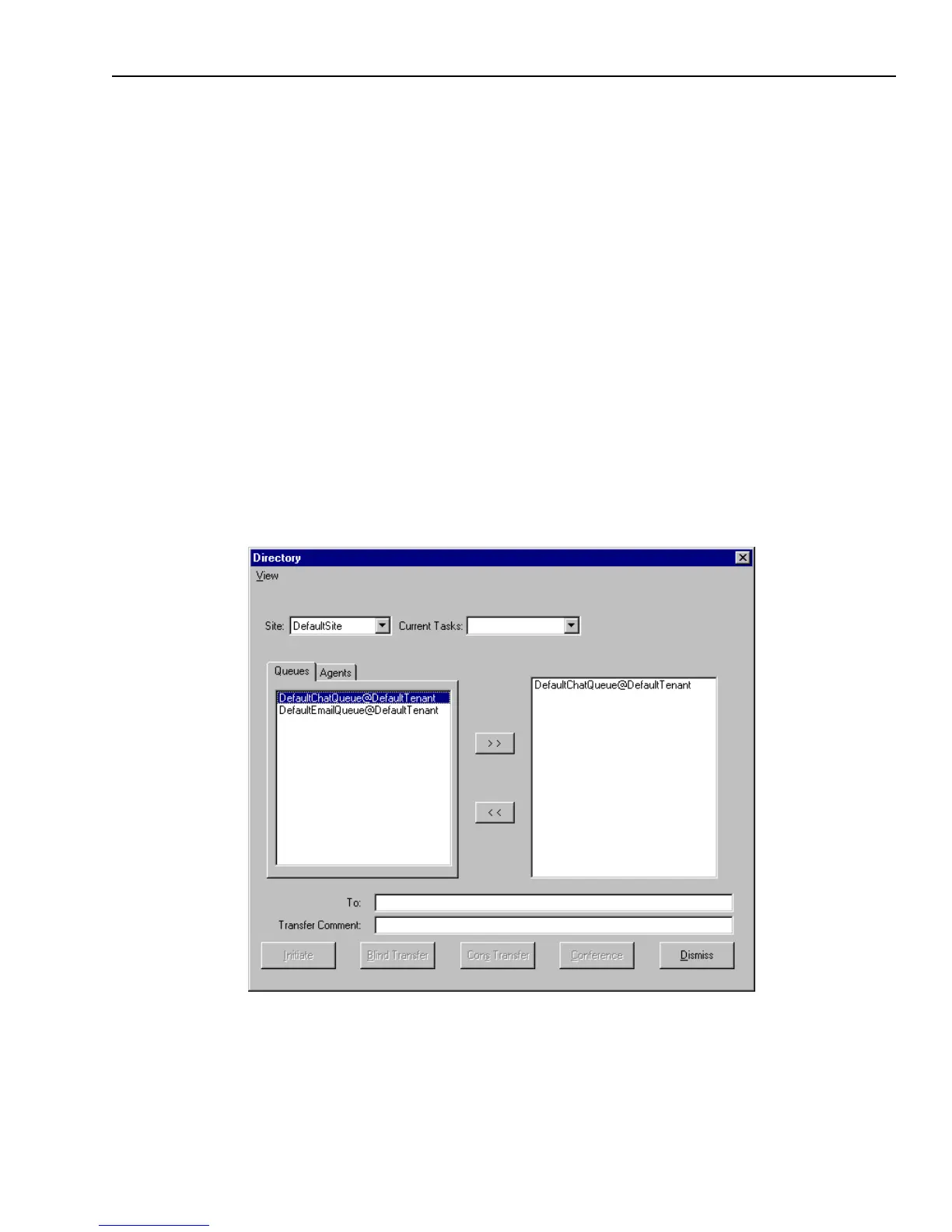
By default, the Queues tab displays only the queues that handle the same media channels that you
are currently handling. If you want to change what is displayed in the Queues tab, see “Filtering
Data Displayed in Tabs,” on page 60.
Looking Up Agents with the Agents Tab
If your UAD has an Agents tab, you can use it to look up information about people who work for
the contact center. Typically, you will find the following types of information about each person
who is listed in the Agents tab: General agent information (such as last name, first name, login ID)
n
Telephone numbers (such as primary, secondary, mobile, pager, and fax)
n
Email addresses (such as internal and personal)
If your UAD does not have an Agents tab, use the instructions in “Looking Up Agents with the
Find Option,” on page 62.
To look up agent information in the Agents tab of the UAD:
1 Click the Directory button in the Avaya Agent Media pane.
The UAD is displayed.
Your Unified Agent Directory may look like this when you open it.



 To Next Page