Chapter 2 Managing Avaya Agent
64 Avaya Agent User’s Guide
c If you want to include agents who are currently Available, Busy (in Aux-work), or Logged
Out, select those agent states.
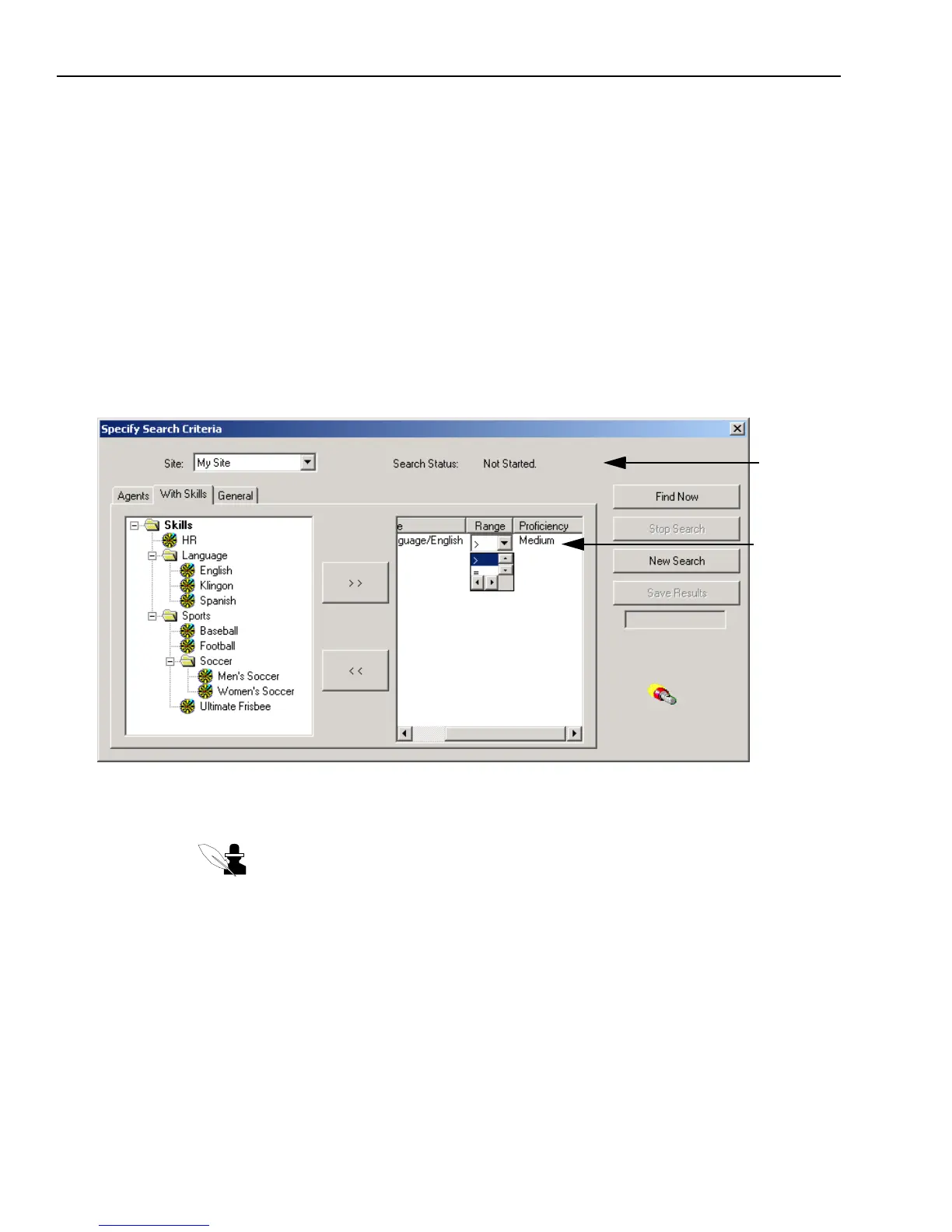
5 Skills tab – If you want to search for agents with certain skills, such as agents who speak
certain languages or agents who support a certain operating system, click the Skills tab and do
the following:
a If necessary, navigate through the folders.
b When you find the skill you want, double-click to select it.
The selected skill moves to the right side of the dialog box.
c Select a Range (> for greater than; = for equal to, or < for less than) and a Proficiency rating
(Expert, High, Low, or Medium) to indicate the level of proficiency you desire, by clicking
in the appropriate columns to bring up a menu and making your selections.
6 General tab – If you want to find a specific person, click the General tab and enter any
information that you know about the person in the appropriate text box.
Note: The information is case-sensitive. If a person’s name is Bob, your search will
not find him if you type
bob instead of Bob.
Search status
Proficiencies



 To Next Page