Chapter 4 Managing Email
98 Avaya Agent User’s Guide
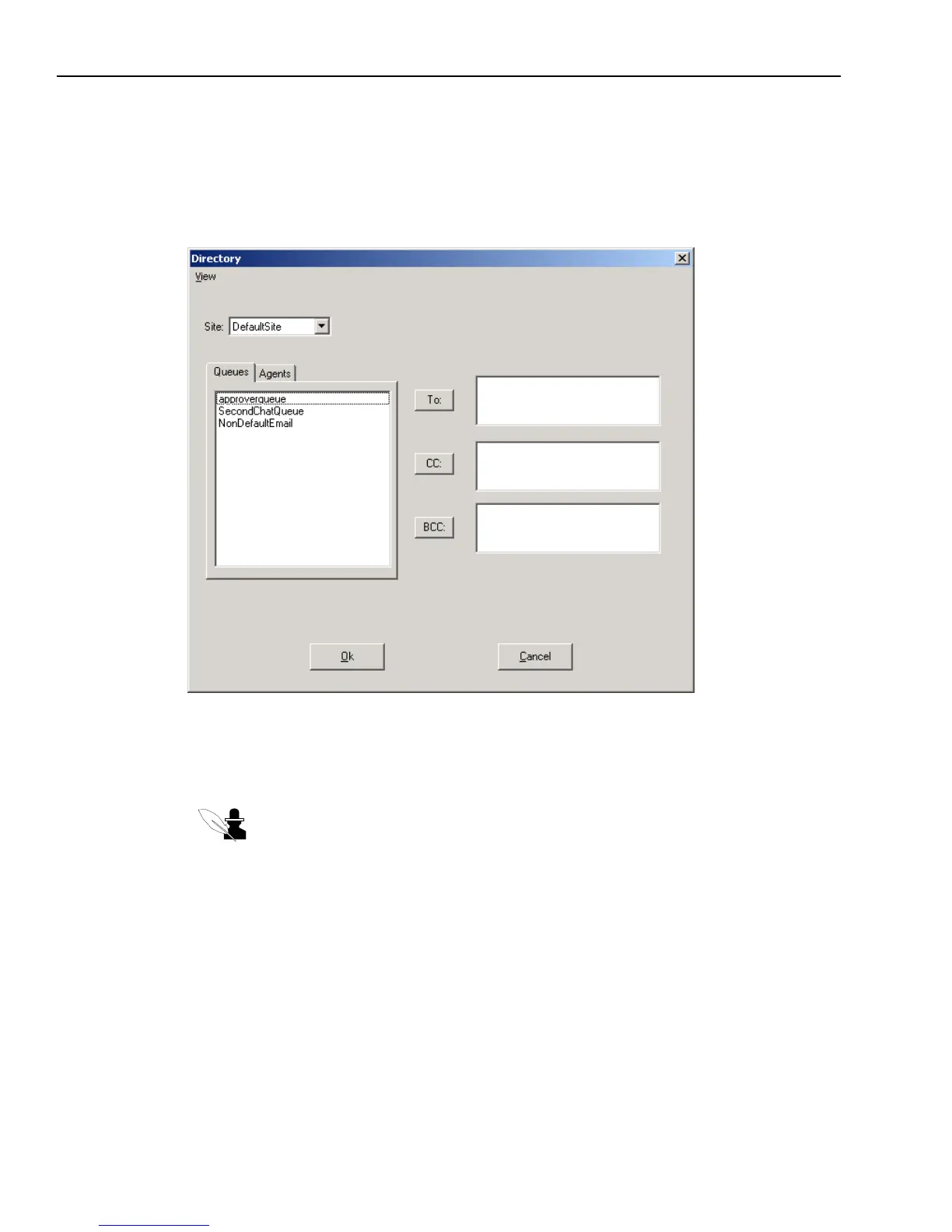
To address an email using the UAD:
1 Display the email you are responding to in the Email Compose window.
2 Click the button beside the Cc or Bcc fields to display the UAD.
The UAD is displayed in Email Addressing mode, as shown in the following illustration:
The meaning of these fields is as follows:
w
To – If enabled, this field is for the address of anyone to whom you want to address this
message directly.
Note: The “To” field is disabled for a Normal Reply and for a Request for Additional
Information because the email is automatically addressed to the customer to whom
you are replying.
w
Cc (Copy) – This field is for the address of any person (or any queue) that you want to
receive a copy of this email.
w
Bcc (Blind Copy) – This field is for the address of any person (or any queue) that you want
to receive a copy of this email, without anyone else seeing their address.
3 If the queue or person you are looking for is not located in your site, select the name of the site
from the Site drop-down menu. If you do not know where the queue or person is located, select
All Sites.



 To Next Page