13
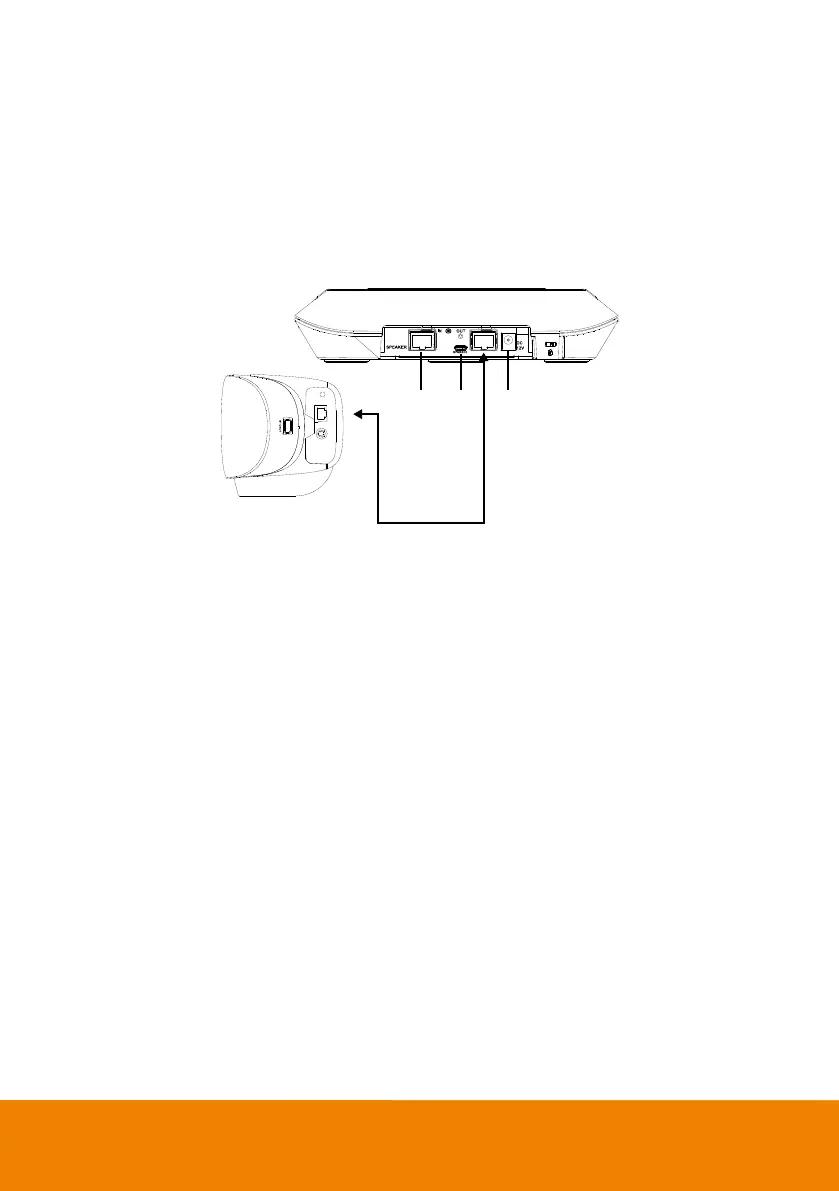
Expansion Speakerphone Installation (Optional)
Users can purchase the expansion speakerphone from AVer.
The expansion speakerphone can expand the sound received and controlled of audio, mute and
unmute.
[Note] Cable is included with optional expansion speakerphone. There are two lengths of cables - 10m
and 20m.
1. The port won’t be used while using with VB350. It doesn’t support daisy chain connection.
2. Micro USB port: while upgrading speakerphone FW, please find a micro USB cable and connect to
PC. Launch AVer PTZApp 2 to upgrade FW.
3. Connect the yellow head of the provided RJ45 cable to speakerphone. Connect the red head to
side of video bar.
4. Connect the provided DC power adapter.



 To Next Page