63
Smart Gallery Operation
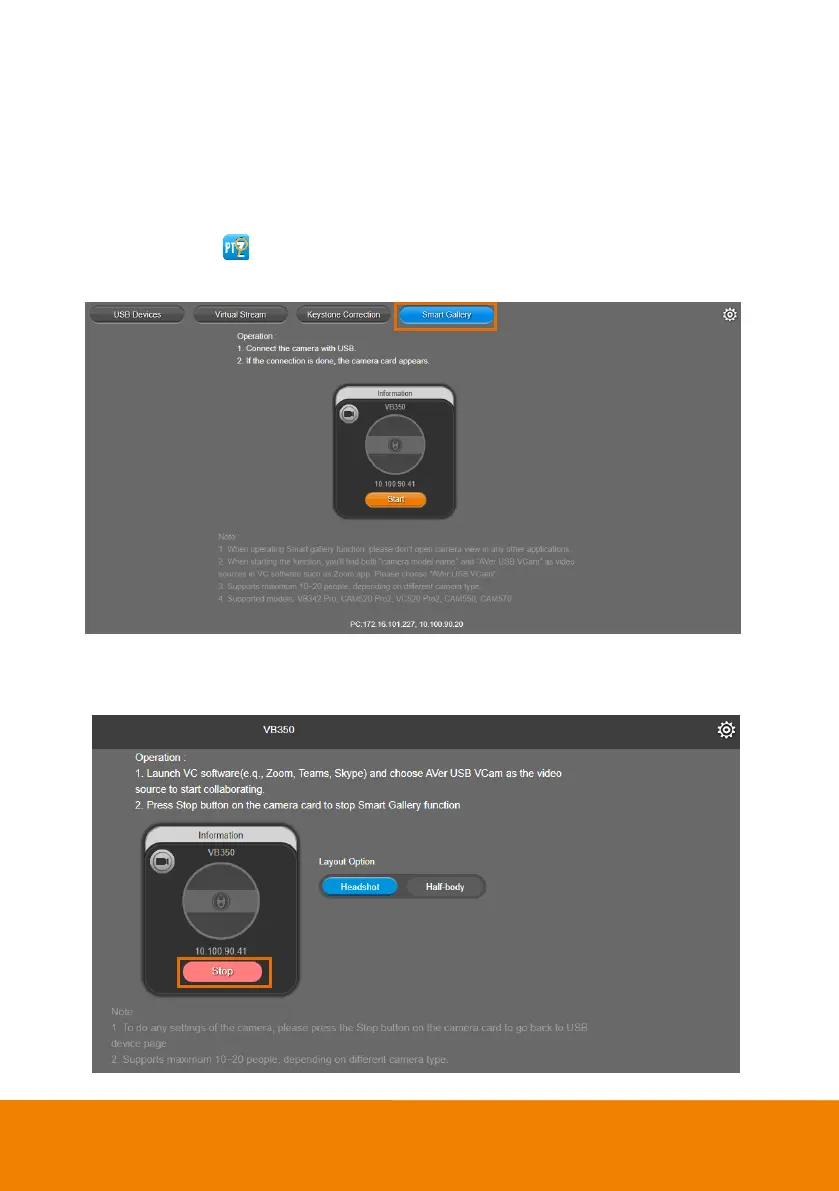
You can use the Smart Gallery function to increase the visibility of each participant in the meeting room.
When operating Smart Gallery function, please don’t open camera view in any other applications.
1. Connect your camera(s) supported with Smart Gallery function to the computer with USB cable.
2. Launch PTZApp 2 ( ) and click Smart Gallery. PTZApp 2 will start searching for the camera(s).
The searched cameras supported with Smart Gallery function will be displayed.
3. Click the Start button, the button will change to Stop, and you can start operating the Smart Gallery
function. To stop the Smart Gallery function, click Stop.



 To Next Page