32
Gesture Control
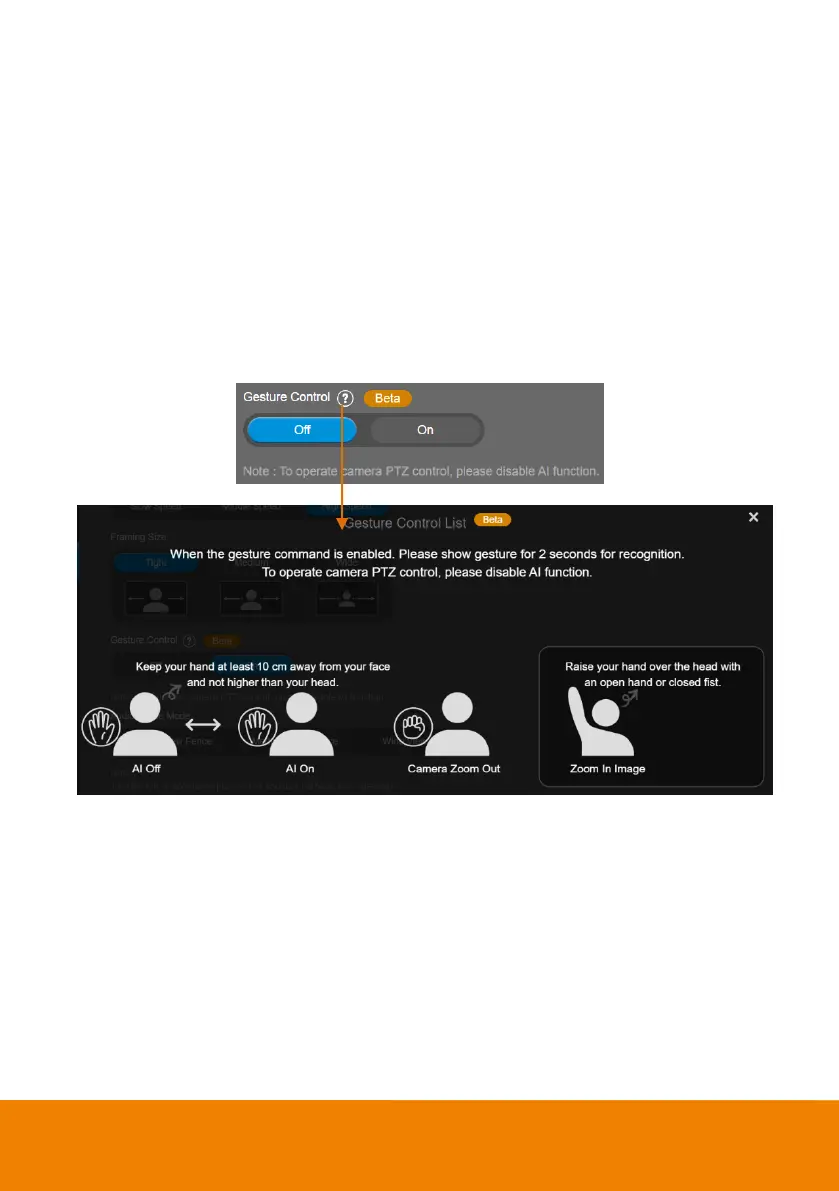
Select Setting > Camera > Gesture Control > On or Off (default).
Enable gesture control allows user to use hand to control camera for turning on/off tracking function,
zooming in/out. Click “?” icon to show gesture control list on screen.
[Note]
The effective distance is up to 4-meter away from the camera.
This function is not available while resolution is more than 1080p/30fps.
When enabling gesture control function, the fixed lens view will be disabled. Gesture control can
only be activated under optical zoom lens view
AI functions will be automatically changed to Manual Frame when you activate the zoom in/out
gestures.



 To Next Page