11
A360 P
e r s o n A l Mi x e r Us e r GU i d e
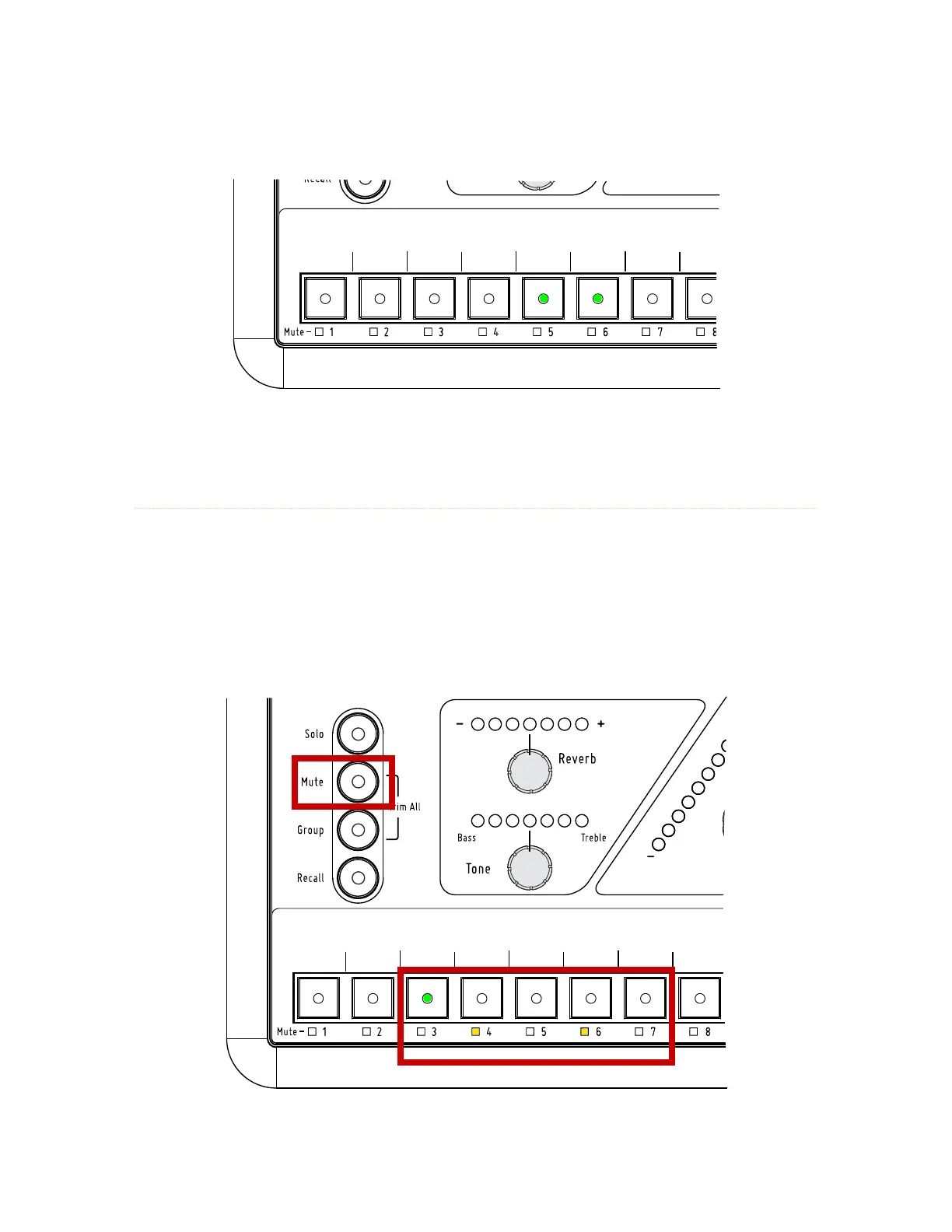
Channel 5-6 are stereo linked at a Pro16 input device; the rear panel mode switch is set to Pro16.
Channel Mute LEDs
Each standard mix channel plus the Dual Profile Channel has a Mute LED below its channel select button.
The yellow Mute LED indicates that a channel is muted in the current mix. To mute the selected channel,
removing it from the current mix, press the mu t e button; the Mute LED below the channel button will light.
To unmute a channel, select the channel first (its green LED will light) and then press the mu t e button. The
channel can be heard again in the mix. While muted, a channel’s Reverb, Tone, Volume, Pan, and Spread (if
stereo) can still be edited.
Channels 4 and 6 are already muted. Channel 3 is selected; press the round Mute button to mute it.



 To Next Page