39
A360 P
e r s o n A l Mi x e r Us e r GU i d e
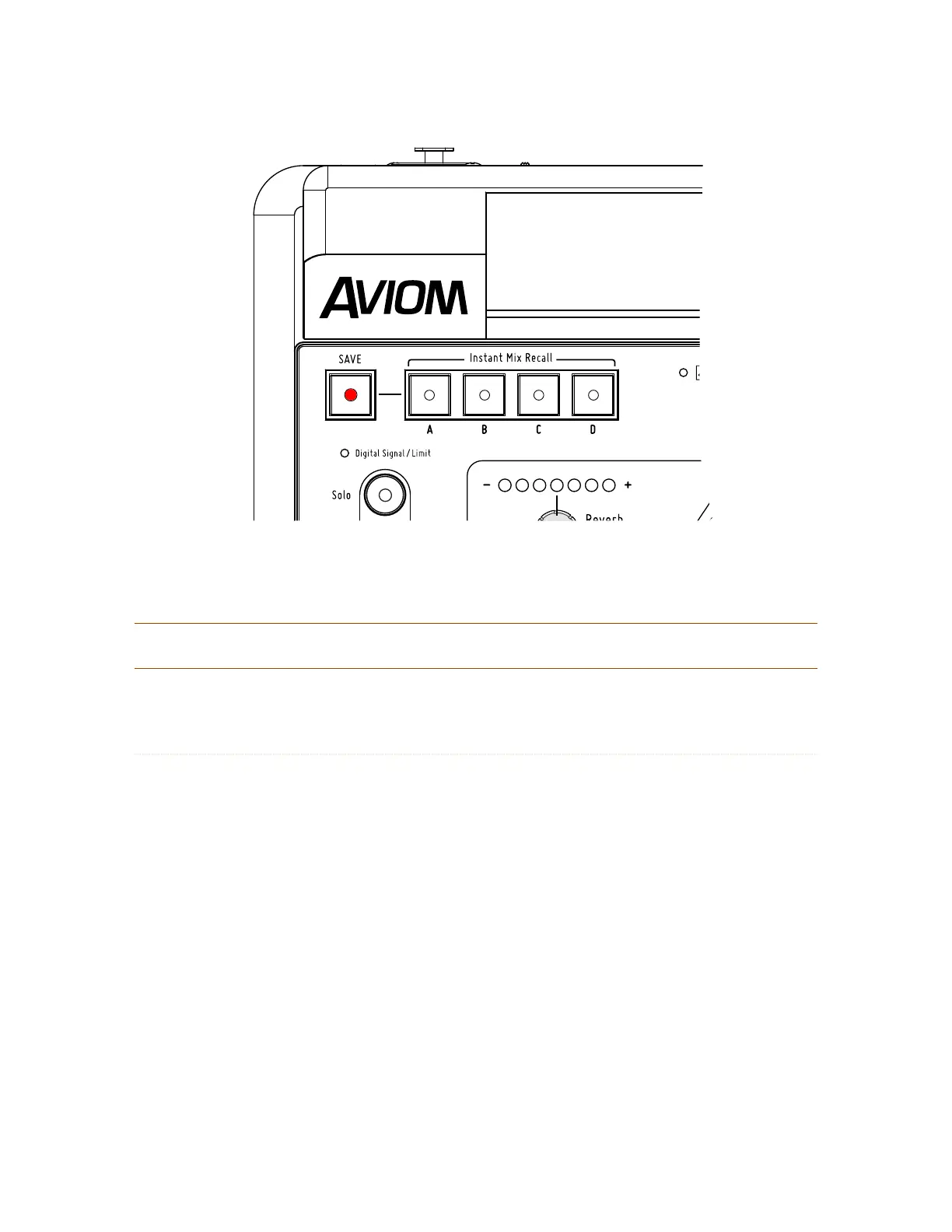
The Save button is used for both Instant Mix Recall locations and standard mix locations.
P
No t e : The Save button cannot be activated if a channel is in Solo.
Instant Mix Recall Buttons
As their name implies, the four Instant Mix Recall™ locations allow a mix to be recalled with one button
press. The four locations, labeled A, B, C, and D, save the same mix-level data as when a mix is saved to a
standard preset location associated with a channel button.
Save to an Instant Mix Recall Location
To store a mix to a Instant Mix Recall location:
Hold down the 1. SA V e button.
The red LED in the Save button will blink. 2.
Continue to hold the 3. S
A V e button and then press Instant Mix Recall button A, B, C, or D.
Release the 4. S
A V e button.
The channel mix buttons will flash to 5. confirm the save operation and the Instant Mix
Recall button where the mix was just stored will light green.
After saving a mix to an Instant Mix Recall location, its LED will remain lit as a reminder until another Mix
Preset is stored.



 To Next Page