29
A360 P
e r s o n A l Mi x e r Us e r GU i d e
When using Pro16 Mode on the A360, stereo links are treated as pairs of adjacent odd-even channels.
Double-clicking either the left or right side of the stereo pair will add or remove it from a Group. It is not
possible to add only one side of a stereo pair to a Group.
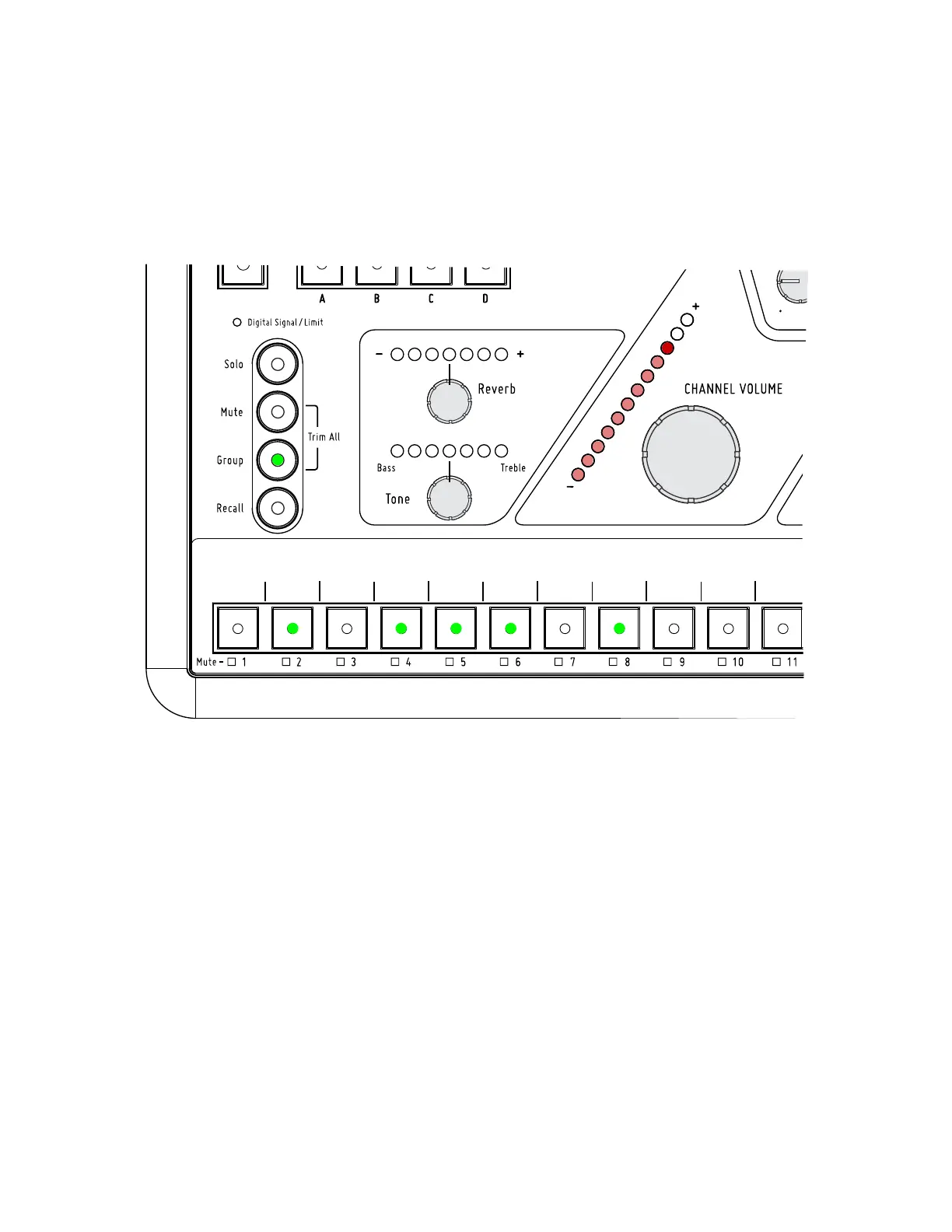
In this example, mix channels 2, 4, 5, 6, and 8 are grouped together. The Channel Volume knob controls the Group volume.
The Dual Profile Channel (and the mix channel assigned as a channel mirror to the Dual Profile Channel in
Pro16 Mode and Default Mode) cannot be included in a Group. The Group button’s LED will blink rapidly
as an error indication if you attempt to start creating a Group with the Dual Profile Channel (or its channel
mirror) selected. Choose a different channel button and try again.



 To Next Page