- 39 -
Type of connection for managing with HPWIN software
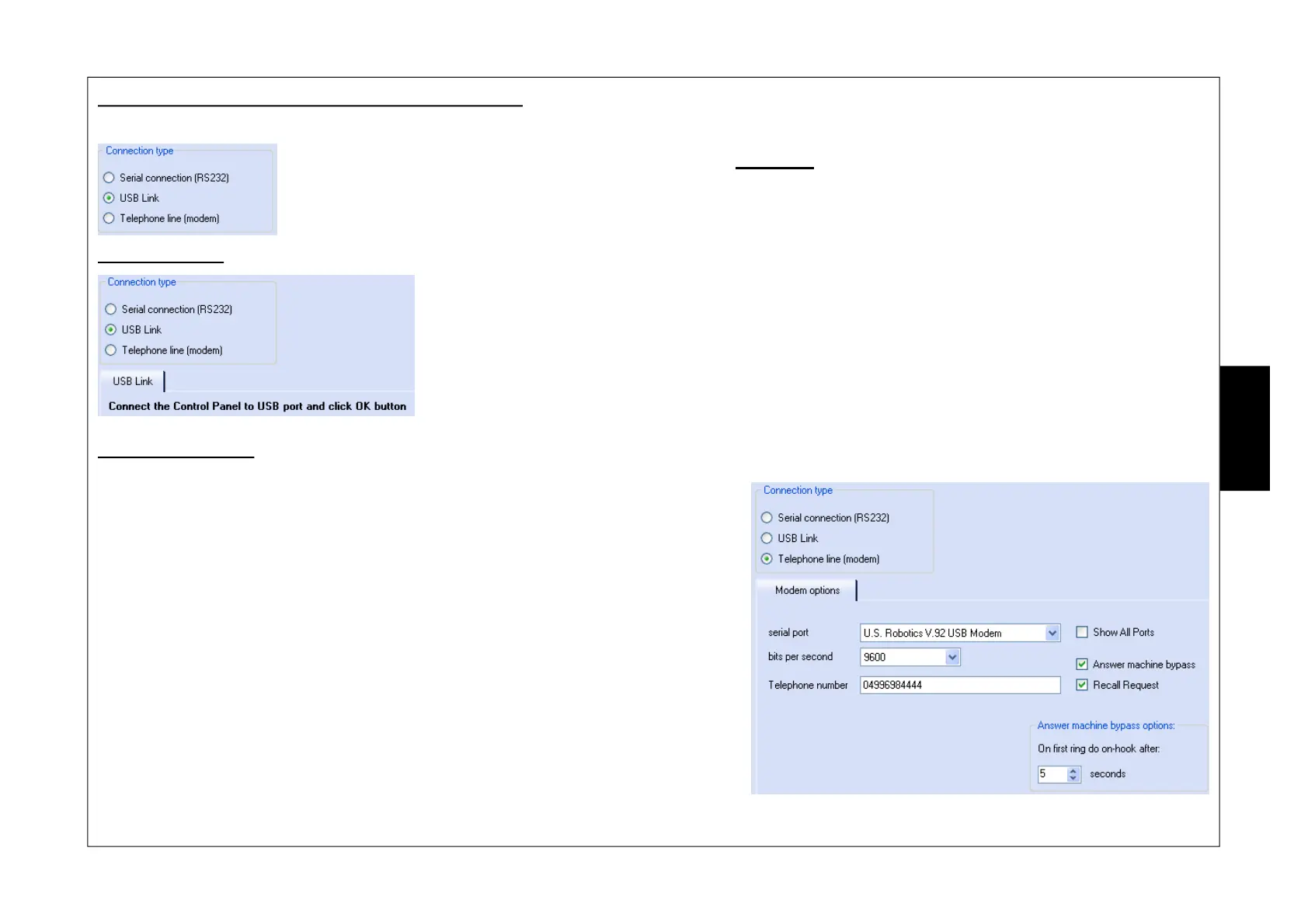
The sensor can be connect to the PC by way of:
USB connection
Phone line (modem)
w RS232 Serial Connection (not used)
w USB Connection
w Phone line (modem)
This type of connection makes it possible to connect the sensor to the PC by way of:
w the OUTUSB mod. adaptor for a direct connection.
w the USB port of the XSATHP satellite that the sensor is connected to for a remote connection.
In order to connect:
1. select type“Connessione USB (USB Connection)”.
2. press “OK” on the bottom right of the screen.
This type of connection makes it possible to connect the sensor to the PC remotely
using the modem, both through the PSTN and the GSM line. In this case sensor mana-
gement can only take through the XSATHP satellite.
In order to connect:
1. select type“Linea telefonica (Phone line) (modem)”
2. in “porta seriale (serial port)” select the modem connected to the pc or, if “Mostra
Tutte le porte (Show All ports)” is selected, the number of the serial port the
modem is connected to
3. in “bit per second” select the value 9600
4. in “numero telefonico (phone number)” insert the phone number to be called
5. press “OK” on the bottom right of the screen
a.
if the “
Salto segreteria (Skip answering machine)
” option is activated (the PC first
calls making one ring, it hangs up and then calls back after a few seconds) the
wording“
Opzioni salto segreteria (Skip answering machine Options)
” appears, where
it is possible to set how many seconds the first ring must last before hanging up.
b. if the “Richiedi richiamata (Request recall)” option is active, once the PC is
connected to the XSATHP satellite through the phone line, it drops communication
and waits for the satellite to call back.
E
N
G
N. B. This parameter only appears
if “Salto segreteria (Skip answering
machine)” is active


 To Next Page