- 41 -
Parameters management
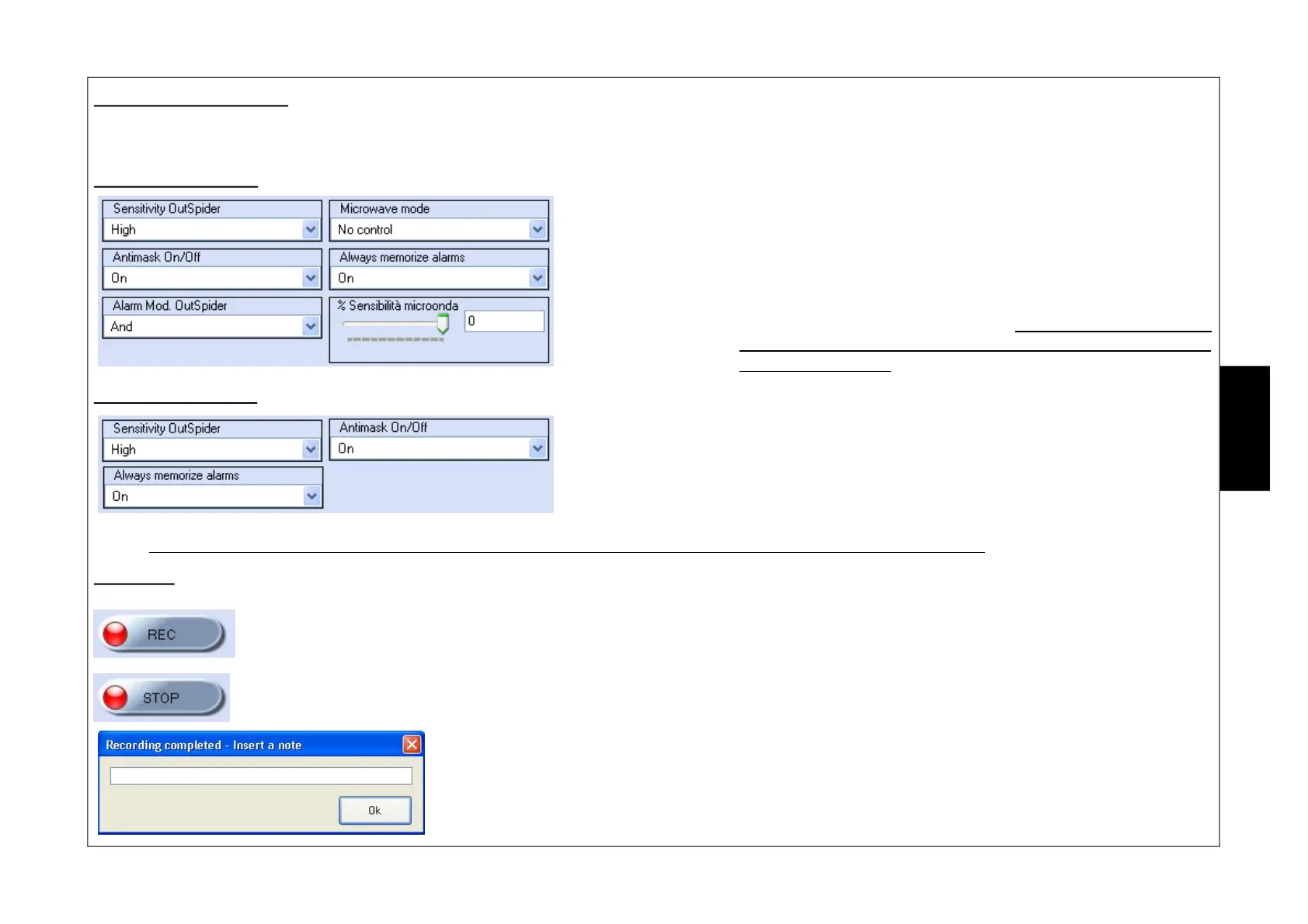
In this section it is possible to change sensor parameters (see SW1 - Functions Table and SW2 - Functions Tables):
OutSpider DT Screen
OutSpider Sensitivity: selecting sensitivity of the infrared section
Microwave mode: selection of the microwave operational mode
Antimask On/Off: handles the Antimask function
Always memorise alarms: memorises all alarms or only those occurring when the system
is engaged
OutSpider alarm mode: selection of the sensor operational mode
% Microwave sensitivity: adjustment of microwave sensitivity (by way of software, it is only
possible to decrease it compared to the value set for the sensor
with the RV1 trimmer)
OutSpider PA Screen
OutSpider Sensitivity: selecting sensitivity of the infrared section
Antimask On/Off: handles the Antimask function
Always memorise alarms: memorises all alarms or only those occurring when the system
is engaged
NOTE: by way of software it is not possible to change parameters related to the AUX input and LED management.
Recording
The “REC” button allows the installer to start recording what happens to the sensor to the PC. All signals are saved directly
in an archive housed on the PC that can be consulted at will. This function is very interesting when wanting to verify
detection areas of the sensor or monitor their behaviour.
The “STOP” button interrupts the recording.
It requests for a “Inserire una nota (Note to be inserted)” that is necessary to distinguish the various
files in the recordings history file.
In order to view them it is necessary to consult the “l’Archivio Registrazioni (Recordings Archive)” and
select the file.
E
N
G


 To Next Page