- 45 -
Events Historical file
Access to this menu require a choice in type of connection:
1- Follow the procedure based on the the type of connection to be carried out.
NOTE: if it is a USB connection, it may require installation of drivers for recognising the peripheral device. If the drivers are not recognised automatically, it
is necessary to specify the following file path to the operating system C:\Programmi\Xwin\Driver\ and select the stmcdcAVS.inf file.
2- Select the address of the sensor or the satellite on HPWIN and then chose “Connect”.
Once connected, it is possible to access the alarms event history saves in the sensor.
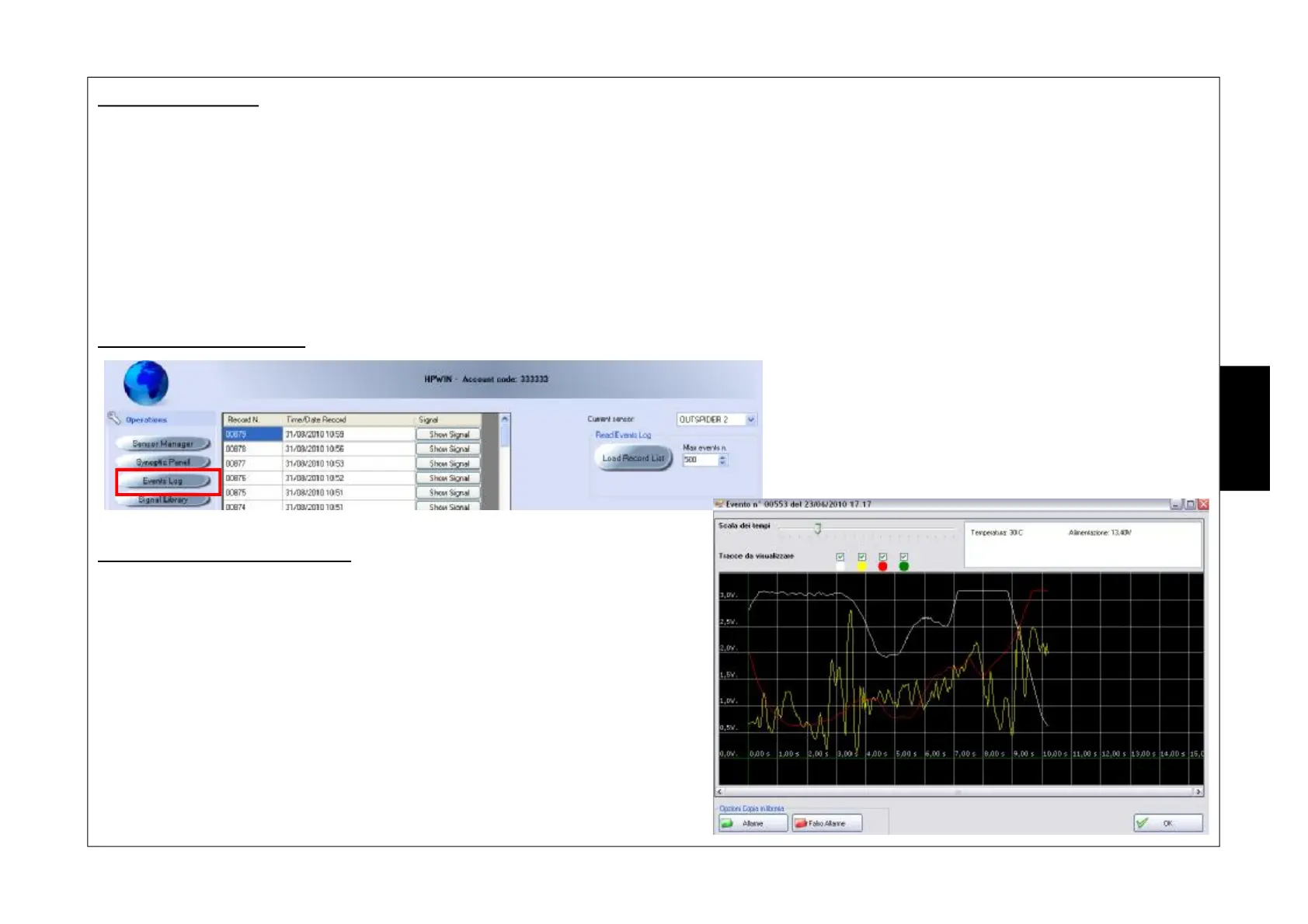
Procedure for loading data
Procedure for displaying signals
5- Click on “Mostra Segnale (Show Signal)”; the software will load the information
directly from the sensor.
The display is complete with some information saved the moment the alarm occurred:
- Temperature- Power supply - Alarm signal for infrared section - Alarm signal for the
microwave section - Antimask alarm signal.
6- Press “Ok” to close the screen.
NOTE: The “Alarm” and “False Alarm” functions in the “Opzioni Copia in Libreria
(Library Copy Option)” step are not managed.
1- Select the satellite - sensor: “current satellite”-“current sensor”.
2- Define the number of events to be loaded, with a maximum
of 1920: “ N° eventi max (No. of max events)”.
3- Start the process: press “Carica Lista Record (Load Record
List)”.
4- All events are displayed, complete with Record Number, Date
and time.
‘
E
N
G
•
•
Ž
Œ
•


 To Next Page