AXIS Panorama PTZ User’s Manual Network Installation
11
Verifying and Completing the Installation From Your Browser
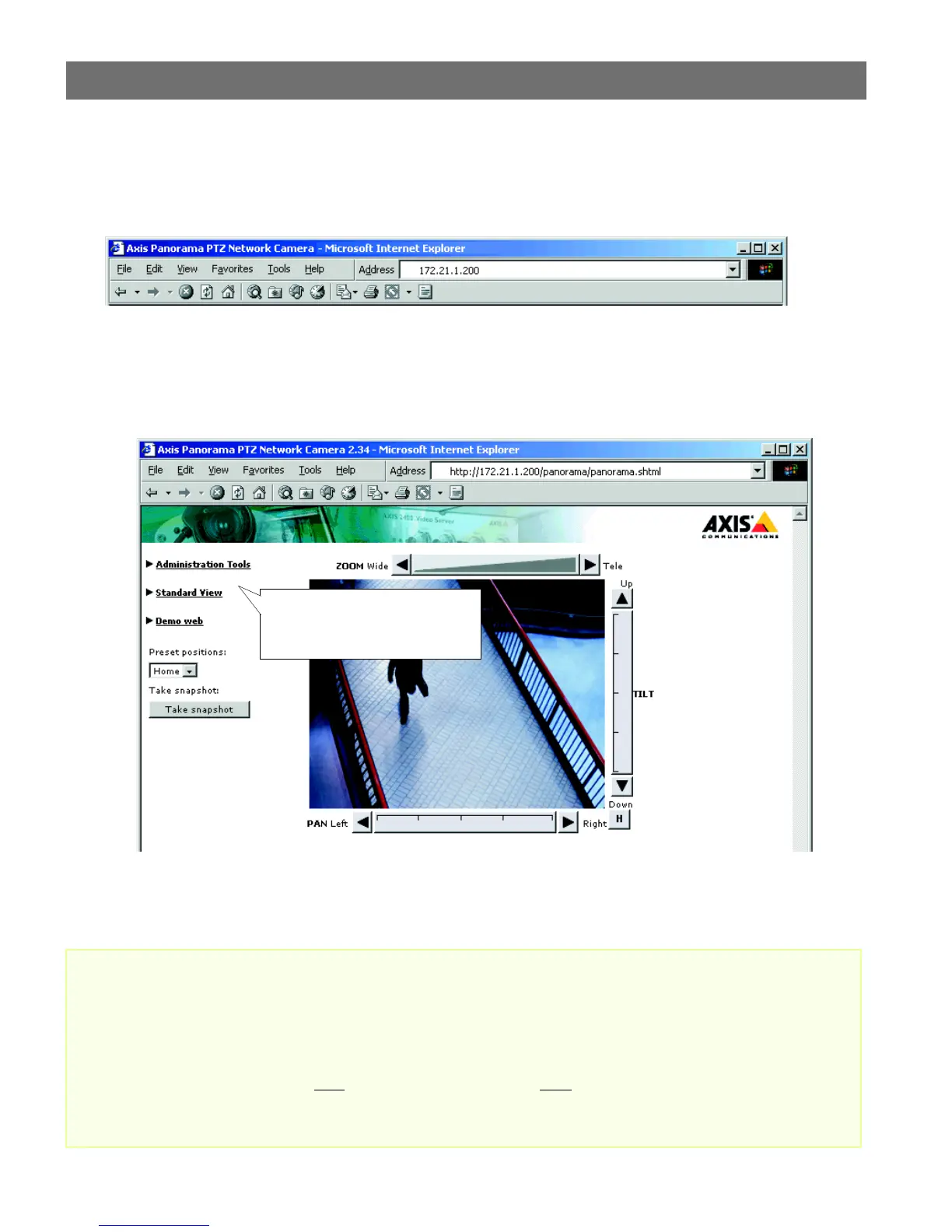
To access the AXIS Panorama PTZ, start your browser and enter the IP address of either camera in
the location or address field, e.g. 171.21.1.200.
This opens the Live View page, which is the default application page. The page provides a link to
the product’s Administration Tools, providing access to all of the camera’s settings, including those
for the Panorama application, which must be configured correctly before use. Please see
Configuration, on page 12.
To quickly find information and help when using the camera, please refer to the Online help,
available from the administration tool pages.
Important!
• To enable the Panorama application, you must set Microsoft Internet Explorer to allow ActiveX con-
trols and install the Axis Panorama Viewer ActiveX component onto your computer. The application
will not function without this component.
• When accessing the Admin Tools for the first time in a browser, you will not be prompted for a user-
name or password. You will be assumed to be the Administrator and will automatically be logged on
as such, with the user name root
and the default password pass. This root password should, however,
be changed as soon as possible, to enable the security function. Also, all Axis products are shipped
with the same password as default. For more information, refer to System Security, on page 17.
The Administration Tools provide
access to the Panorama settings,
and all other available settings.



 To Next Page