AXIS Panorama PTZ User’s Manual Lenses and Focusing
19
Appendix A - Lenses and Focusing
The AXIS Panorama PTZ can be focused manually, or with the help of the Focus Assistant.
The latter is useful if your AXIS Panorama PTZ is located remotely from your viewing
workstation. Having positioned the camera, follow the instructions below to focus it.
Important!
Manual Focusing
Note: The unit is supplied with the lens set in approximate focus position.
Although the AXIS Panorama PTZ is intended for both outdoor and indoor use, it is important to note
that the charged coupled device (CCD) in the camera can become permanently damaged if it is exposed
to excessive direct sunlight or halogen light. It is therefore important that the Adjustment Ring is not set
fully open when installing the camera in bright light conditions. The Axis warranty does not cover CCD
damage caused by prolonged exposure to strong light.
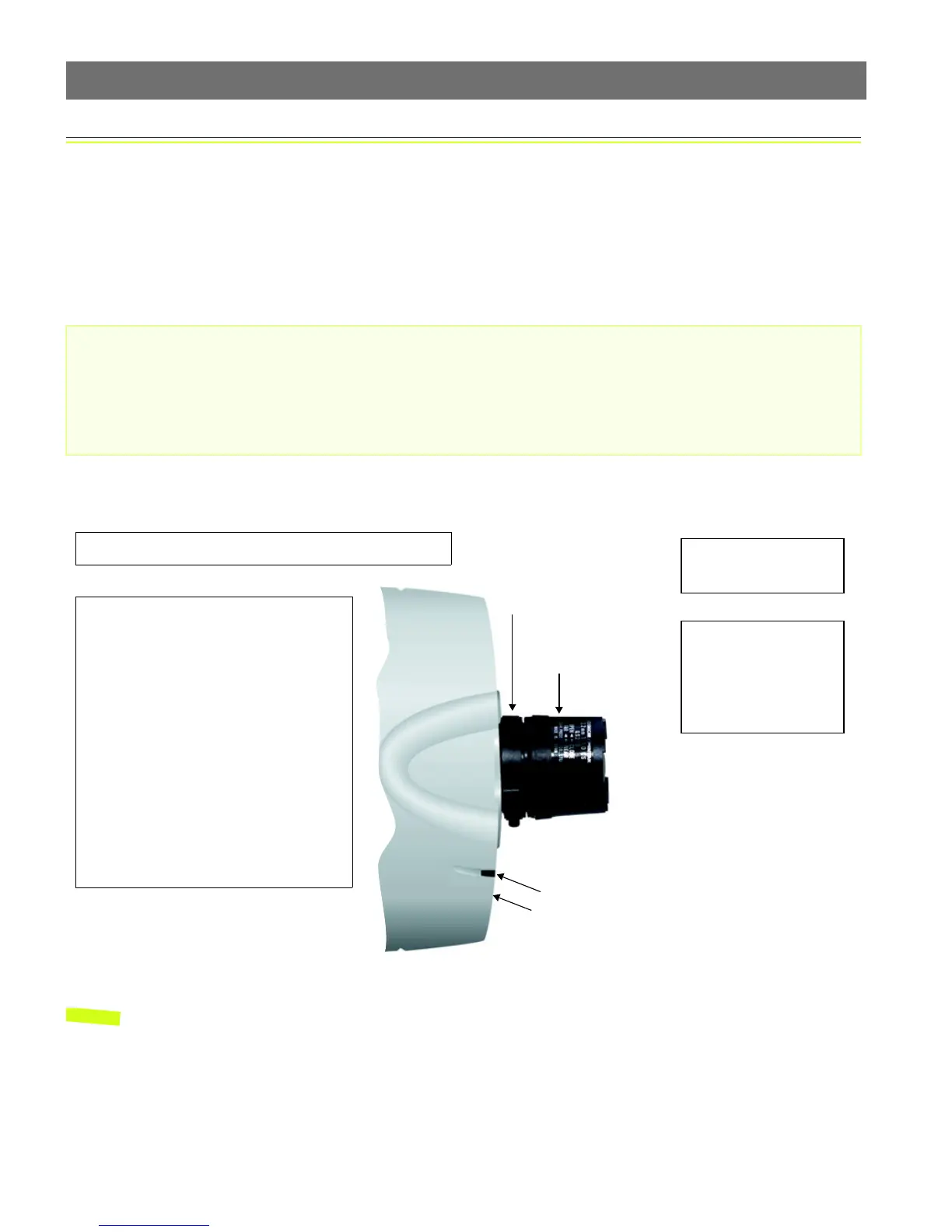
❹Rotate the Focus Ring
to an appropriate posi-
ton - until you are satis-
fied with the quality of
the camera image.
Status Indicator
❶Power-on the AXIS Panorama PTZ and wait 10 seconds.
Control Button
Iris Adjustment Ring
Focus Ring
❷The Iris Adjustment Ring effectively closes
and opens the camera lens to regulate the
amount of light entering the camera. Closing
the ring reduces the amount of light to pro-
duce a better depth of field and focus over a
greater distance, whereas, a more open lens
provides better results in low-light condi-
tions.
Rotate the Iris Adjustment Ring to an appro-
priate position for your chosen installation,
as follows:
• indoor scene - fully open (O)
• outdoor scene - mid position
(between C and O)
❸Start your browser
and check the picture.



 To Next Page