AXIS Panorama PTZ User’s Manual Physical Description
7
Physical Description
Please read the following information to familiarize yourself with the AXIS Panorama PTZ,
making particular note of where the connectors and indicators are located. This
information provides a useful reference during the installation of the product.
Front Panel
Important!
Although the AXIS Panorama PTZ can be used both indoors and outdoors, it is important to note that the charged
coupled device (CCD) in the camera can become permanently damaged if exposed to too much direct sunlight or
halogen light. It is therefore important that the Adjustment Ring is not set fully open when installing the camera in
bright light conditions. The Axis warranty does not cover CCD damage caused by prolonged exposure to strong light.
To use the product outdoors, it must be housed within a proper outdoor enclosure.
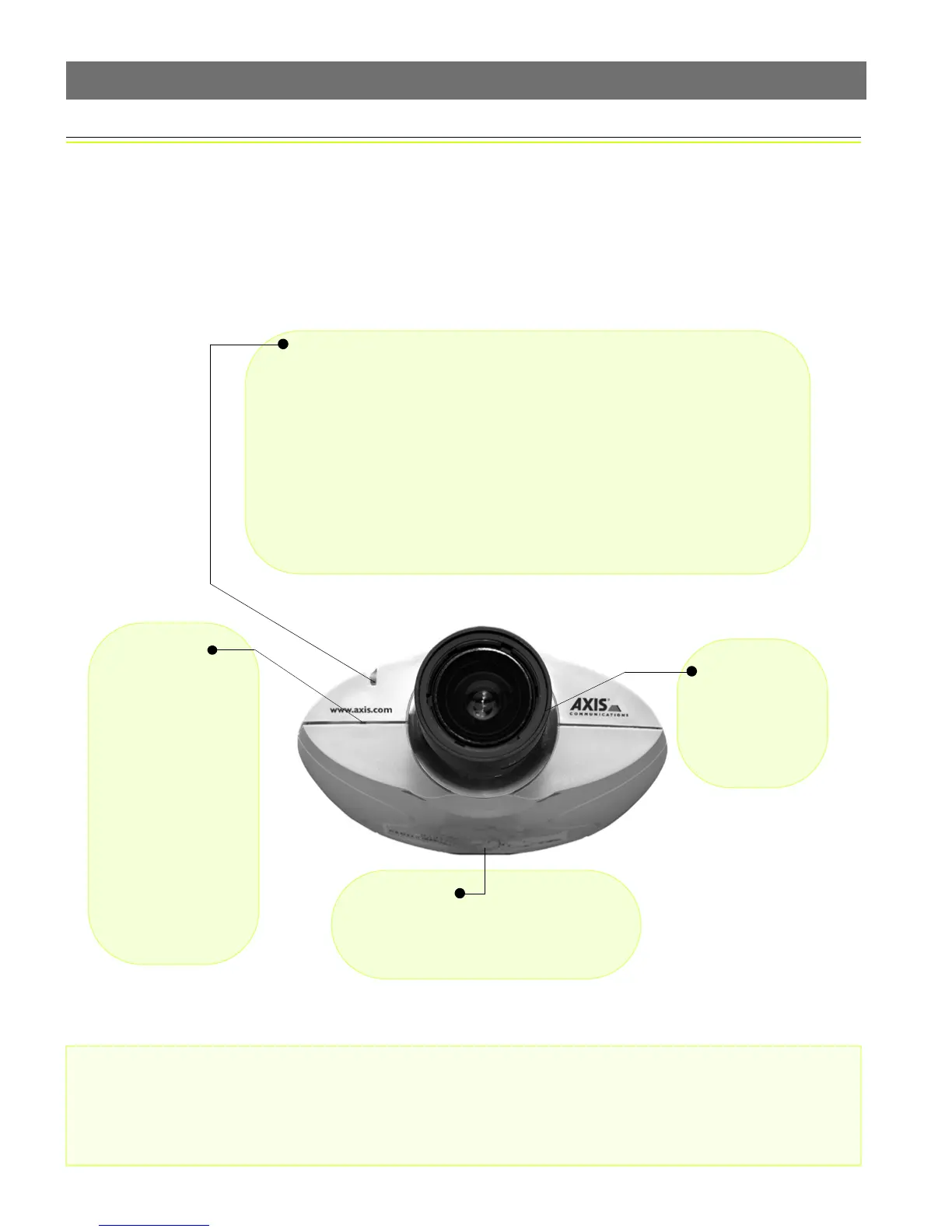
Control Button
Located to the left of
the lens assembly, this
button is recessed
within the product cas-
ing. Using a pointed
object, press the button
to restore the factory
default settings as
described in Reinstating
the Factory Default Set-
tings, on page 18; or to
enable the Focus Assis-
tant, as described in
Lenses and Focusing, on
page 19.
Lens Assembly
Manual iris
wide-angle lens,
with rotational
focus control.
Serial Number
Located on the underside label of the AXIS
Panorama PTZ, the serial number is identi-
cal to the unit’s MAC/Ethernet address.
Status Indicator
Used in conjunction with the Focus Assistant, this multi-colored indicator can be con-
figured for use as a local focusing aid (for further details please see page 19). Under
normal conditions however, the indicator shows the operational status of the camera,
as described below:
• green - indicates a healthy unit status.
• red - the indicator will display red only if a problem with the AXIS Panorama
PTZ has occurred. Refer to Appendix B - Troubleshooting.
Note: The Status indicator also displays orange when re-setting to the factory default
settings, as described on page 18. The Status Indicator can also be made to flash when-
ever images are displayed in a browser. See the on-line help for more information.



 To Next Page