AXIS Panorama PTZ User’s Manual Lenses and Focusing
21
1. Set the Focus Ring to its extreme far-focus
position by turning it fully anti-clockwise.
2. Rotate the Iris Adjustment Ring to an
appropriate position for your installation, as
follows:
• indoor scene - fully open (O)
• outdoor scene - mid position (between C
and O)
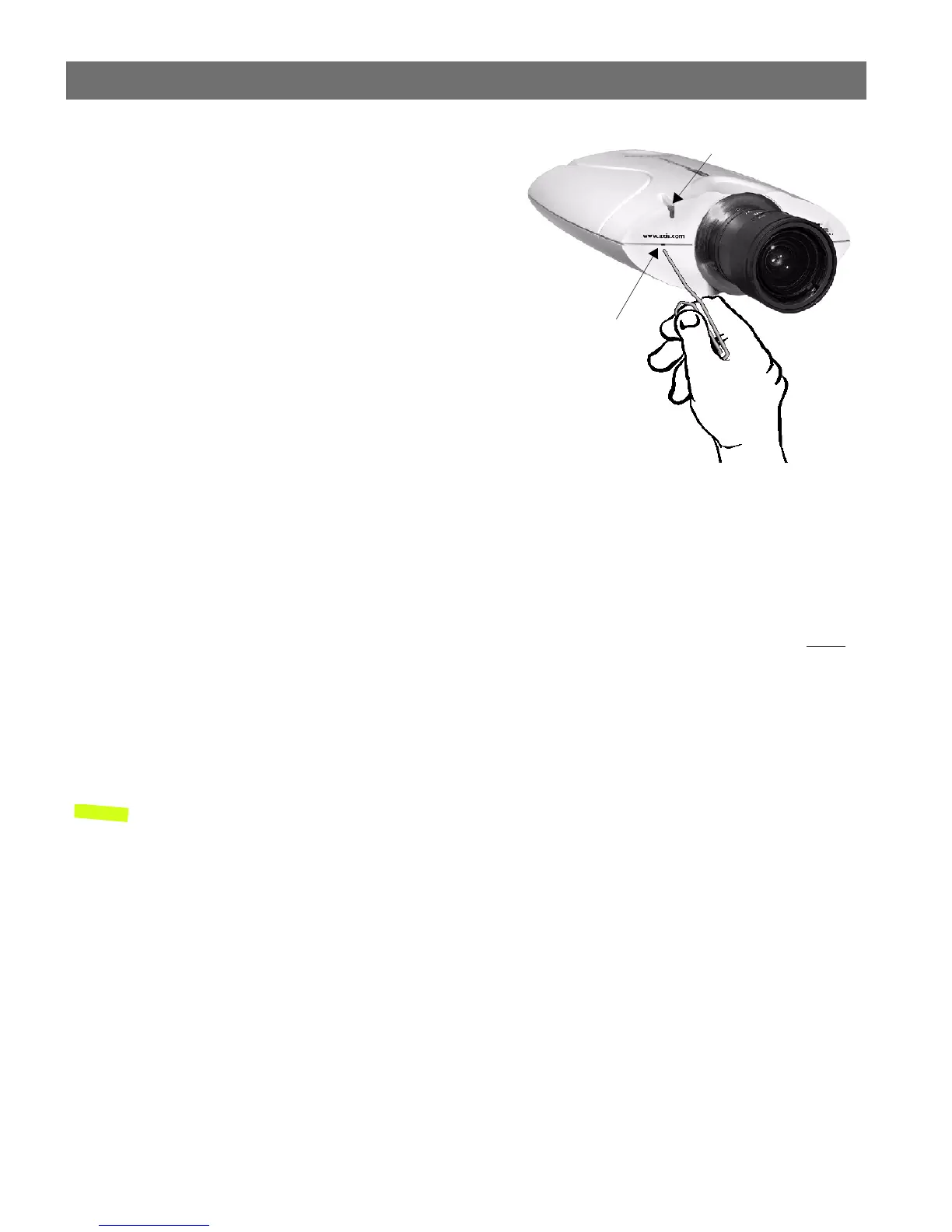
3. Press and hold the Control Button using a
paper clip, or any other pointed object (see
illustration) - until the Status Indicator
flashes Yellow. This enables the Focus
Assistant, sets the Status Indicator to Focus
Mode, and simultaneously starts a focusing algorithm that regularly calculates the
quality of focus within the camera's field of view.
4. Turn the Focus Ring slowly clockwise until the Status Indicator displays Green; that is,
until a Good level of focus is achieved. The Status Indicator displays different colors to
represent a predefined level of focus (see table below).
5. Return to your browser application and review the picture quality. Repeat step 5 only
if
you consider the focal distance as too distant - until you are satisfied with both the
focal distance and focus quality.
6. To exit the Focus Assistant: press and hold the Control button until the Status
Indicator flashes Yellow. The Status Indicator displays Green after releasing the button.
Notes: •The Focus assistant can also be enabled and disabled from the Image-Focus page.
•A Good level of focus is normally attainable throughout several planes within the camera’s
focusing spectrum.
•The Status Indicator displays Green to indicate a Good level of focus at 80% of optimum focus.
•Since optimum focusing is dependent on the camera’s field of view, it is important to scan the
focusing plane from the closest to furthest perspectives before attempting any fine-tuning.
Replacing the Lens
The lenses supplied with the AXIS Panorama PTZ are intended specifically for use with the
Panorama application. Other compatible lenses may also be used with the cameras, but
there is no guarantee that the Panorama application will function correctly. For more
information on replacing lenses, please see the AXIS 2110 User’s Manual.
Control Button
Status Indicator



 To Next Page