INFOTAINMENT SYSTEM
~ 47 ~
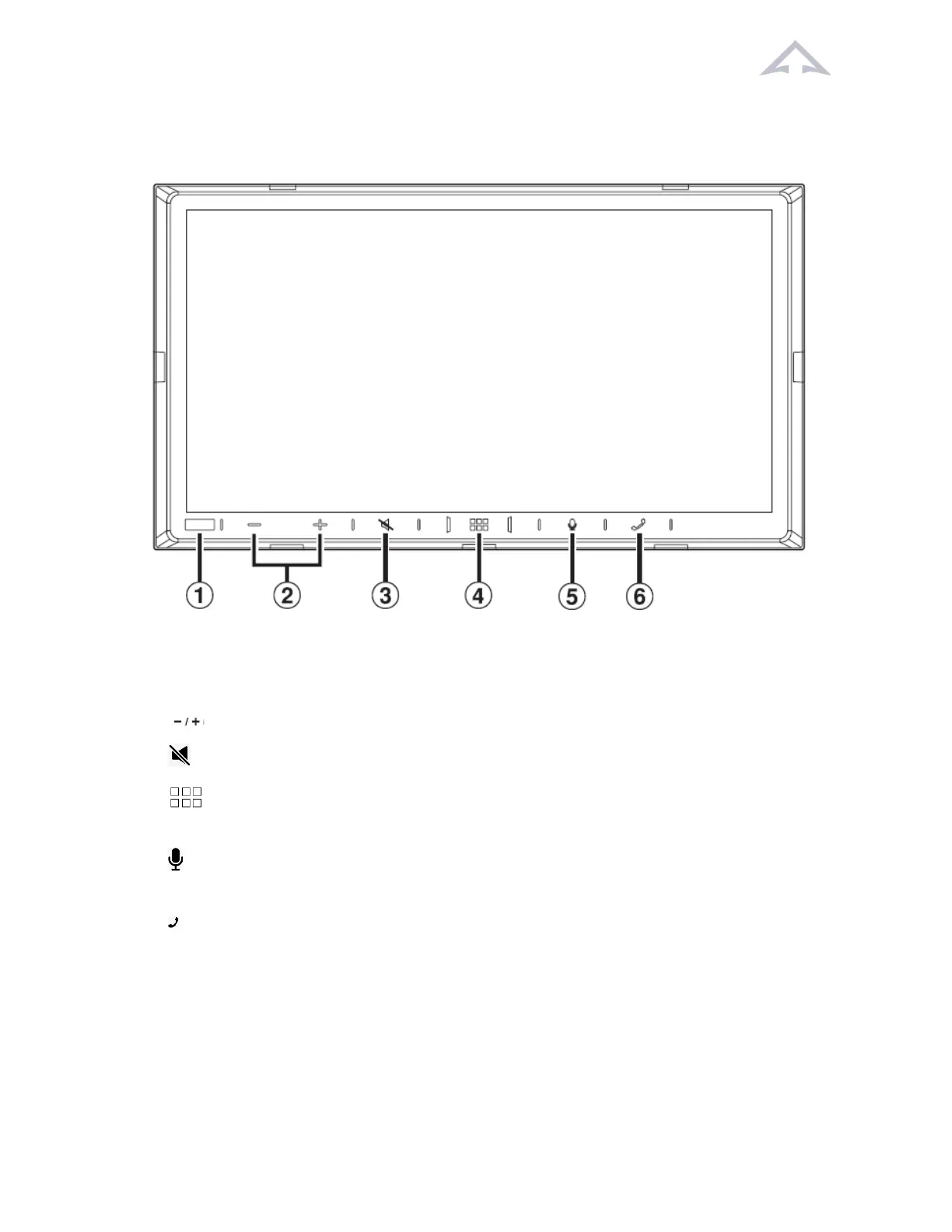
10.1 Locaon of Controls
Figure 23 Locaon of Controls
1. Dimmer Sensor: Sense the brightness of the car interior.
2. (DOWN/UP) buon: Touch to adjust the volume.
3. (MUTE) buon: Touch to acvate/deacvate the mute mode.
4. (HOME)/(Power Off) buon: Acvates the HOME screen. Touch and hold this
buon for at least 1 second to turn the power off.
5. VOICE Recognion buon: Depending on the connected smartphone, touch to
acvate Siri funcon or voice recognion mode.
6. (Phone) buon: When a Hands-Free Phone is not connected, the Bluetooth seng
screen is displayed.
• When a Hands-Free Phone is connected: The phone number input screen
(Keypad) is acvated.
• Touch and hold the buon for at least 2 seconds to redial the most recent
incoming call.
• During an incoming call: The phone call is started.



 To Next Page