INFOTAINMENT SYSTEM
~ 49 ~
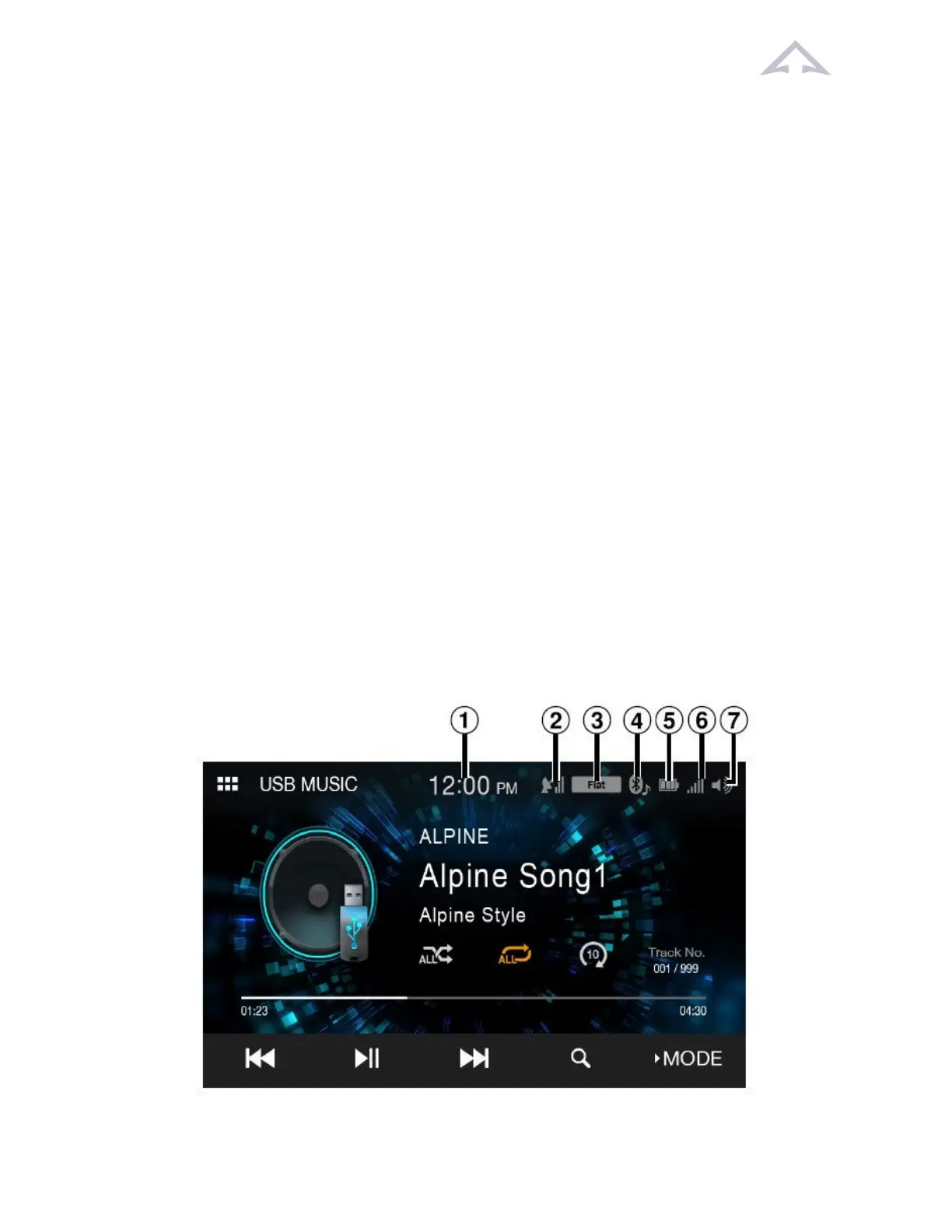
Figure 24 Onscreen Buons
10.2.1 Funcons of Typical Onscreen Buons
• Radio: Displays the Radio main screen.
• USB: Plays music files (MP3/WMA/AAC/FLAC/WAV), video files
(MP4/AVI/WMV/MOV), and photo files (JPG/PNG/BMP) stored in a USB flash drive. If
a USB flash drive is not connected, this widget is not available.
• iPod: Displays the iPod main screen. If an iPhone is not connected, this widget is not
available.
• Connecvity: Use Apple CarPlay or AndroidAuto. If an iPhone 5s or later compable
with the Apple CarPlay funcon or a smartphone installed with the Android Auto App is
not connected, this widget is not available. When Apple CarPlay or Android Auto is
available, the widget changes to [Apple CarPlay] / [Android Auto].
• SiriusXM: Displays the SiriusXM main screen. If a SiriusXM Tuner (oponal) is not
connected, this widget is not available.
• Bluetooth Audio: Displays the Bluetooth audio main screen.
• Camera: Displays camera images.
• Setup: Displays the Setup screen.
10.3 Indicator Bar Display



 To Next Page