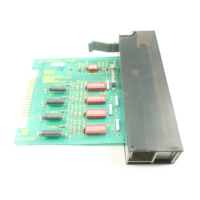
INTRODUCTION
INSTRUCTION CONTENT
I-E96-207A 1 - 3
The front panel LED provides a visual indication of the module
status to aid in system test and diagnosis. You can remove or
install a COM without powering the system down.
INSTRUCTION CONTENT
This manual consists of seven sections.
Introduction
Is an overview of the COM module: Features, description and
specifications.
Description and
Operation
Explains the module operation, and input and output
circuitry.
Installation
Describes precautions to observe when handling COM mod-
ules, and setup procedures required before module operation.
This section discusses switch and jumper settings, and instal-
lation procedures.
Configuration
Explains function blocks and lists the function codes.
Operating Procedures
Explains the front panel indicator and start-up of the slave
module.
Troubleshooting
Describes the error indications and corrective actions to take.
Maintenance
Has a maintenance schedule for the slave module.
Repair/Replacement
Procedures
Details the procedures to replace a slave module.
Support Services
Provides replacement part ordering information. It explains
other areas of support that Bailey Controls provides.
HOW TO USE THIS MANUAL
Read this manual before using the COM. Refer to the sections
in this list as needed for more information.
1. Read Section 3 before you connect the COM.
2. Read Section 4 before you power up the COM.
3. Read Section 5 before you use the COM.



 To Next Page