10
H 12:00 amR O F
13
C
100
H 12:00 amR O F
13
C
100
Spa
H 12:00 amR O F
13
C
Spa Light Music Settings Invert Test
H 12:00 amR O F
13
C
Light
Spa
H 12:00 amR O F
13
C
H 12:00 amR O F
13
C
100
H 12:00 amR O F
13
C
100
A
H 12:00 AMR O F
13
C
100
C
B
E
D
BALBOA | Your Single Source Solution Document No. 42418 Rev. B1 - 04/16/24
Language: English
TP740 User Guide
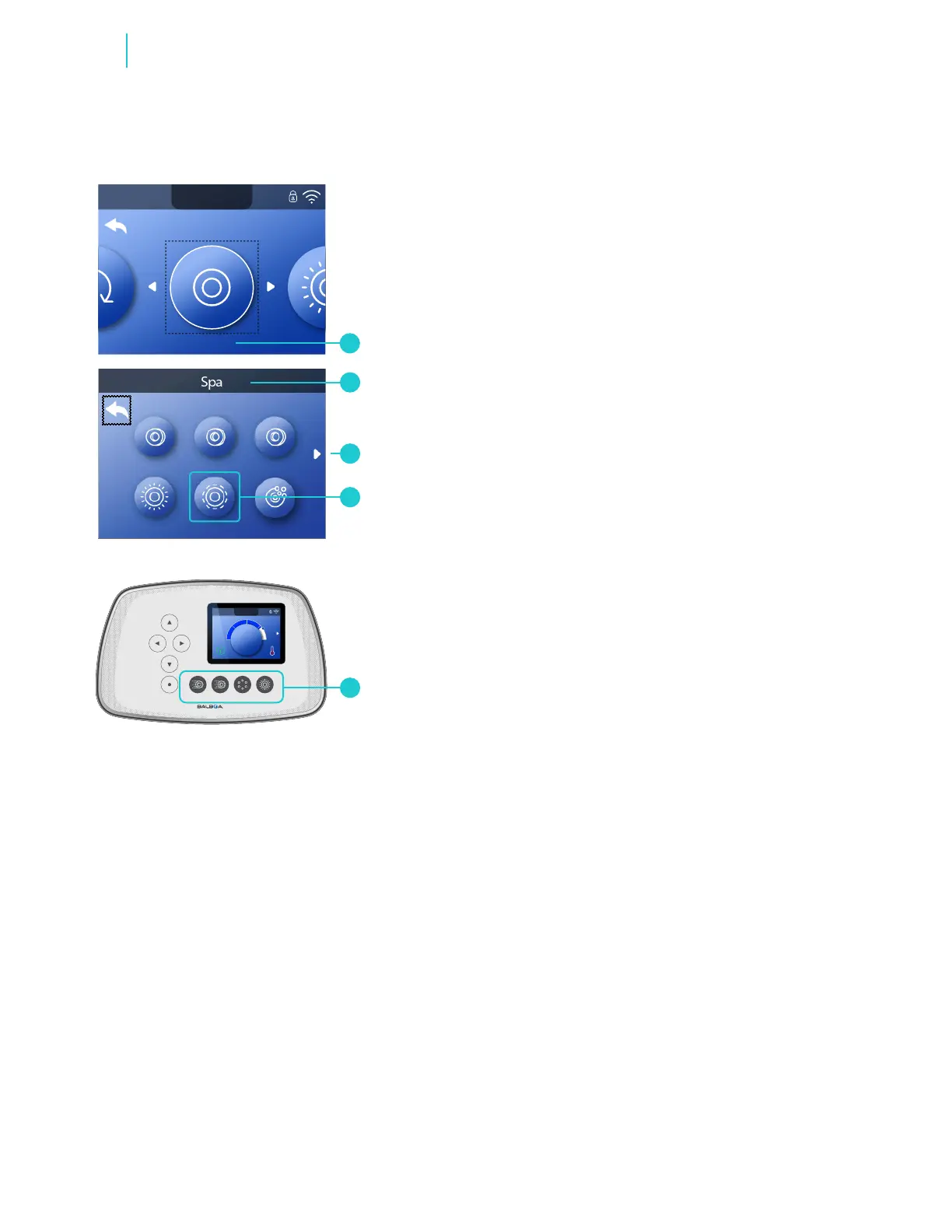
A spa device is a pump, blower, light, etc. Press
these buttons (E) to run spa devices. Depending on
how many devices you system has, these buttons
(E) may not control all devices. All devices can be
controlled from the Spa screen (B).
Follow these steps to run spa devices from the
Spa screen.
1 - Go to the Main menu and Spa (A) to view the
Spa screen (B).*
2 - Control your devices.
3 - If all of the spa devices do not t on a single Spa
screen, an arrow (C) leads to the next
Spa screen.
The functionality of each spa device may vary.
For example, some devices may have a single
speed or state, while other spa devices may have
multiple speeds or states. Your spa conguration
will determine the number of spa devices and the
functionality of each device.
One Spa screen (B) can display a maximum of six
devices. If your spa has more than six devices, a
arrow will appear (C). Press the RIGHT navigation
button to view and/or run devices on the next
Spa screen.
If a Circulation Pump icon appears (D) in the Spa
screen, the icon is not controllable. It is there to
show you the equipment status only.
RUN SPA DEVICES
Functions



 To Next Page