20
Settings
12:00 AM
Heat
Time
Reminders
Locks
Locks
Settings
Panel
Locks
Settings
Panel
H 12:00 amR O F
13
100
H 12:00 amR O F
13
100
Switch On Switch Off
Settings
12:00 AM
Heat
Time
Reminders
Locks
Locks
Settings
Panel
Locks
Settings
Panel
H 12:00 amR O F
13
100
H 12:00 amR O F
13
100
Main screen
Settings
12:00 AM
Heat
Time
Reminders
Locks
Locks
Settings
Panel
Locks
Settings
Panel
H 12:00 amR O F
13
100
H 12:00 amR O F
13
100
Settings
12:00 AM
Heat
Time
Reminders
Locks
Locks
Settings
Panel
Locks
Settings
Panel
H 12:00 amR O F
13
100
H 12:00 amR O F
13
100
Settings
12:00 AM
Heat
Time
Reminders
Locks
Locks
Settings
Panel
Locks
Settings
Panel
H 12:00 amR O F
13
100
H 12:00 amR O F
13
100
Settings
12:00 AM
Heat
Time
Reminders
Locks
Locks
Settings
Panel
Locks
Settings
Panel
H 12:00 amR O F
13
100
* View “Navigate Settings Menu” on page 7.
A
C
D
B
F
E
BALBOA | Your Single Source Solution Document No. 42418 Rev. B1 - 04/16/24
Language: English
TP740 User Guide
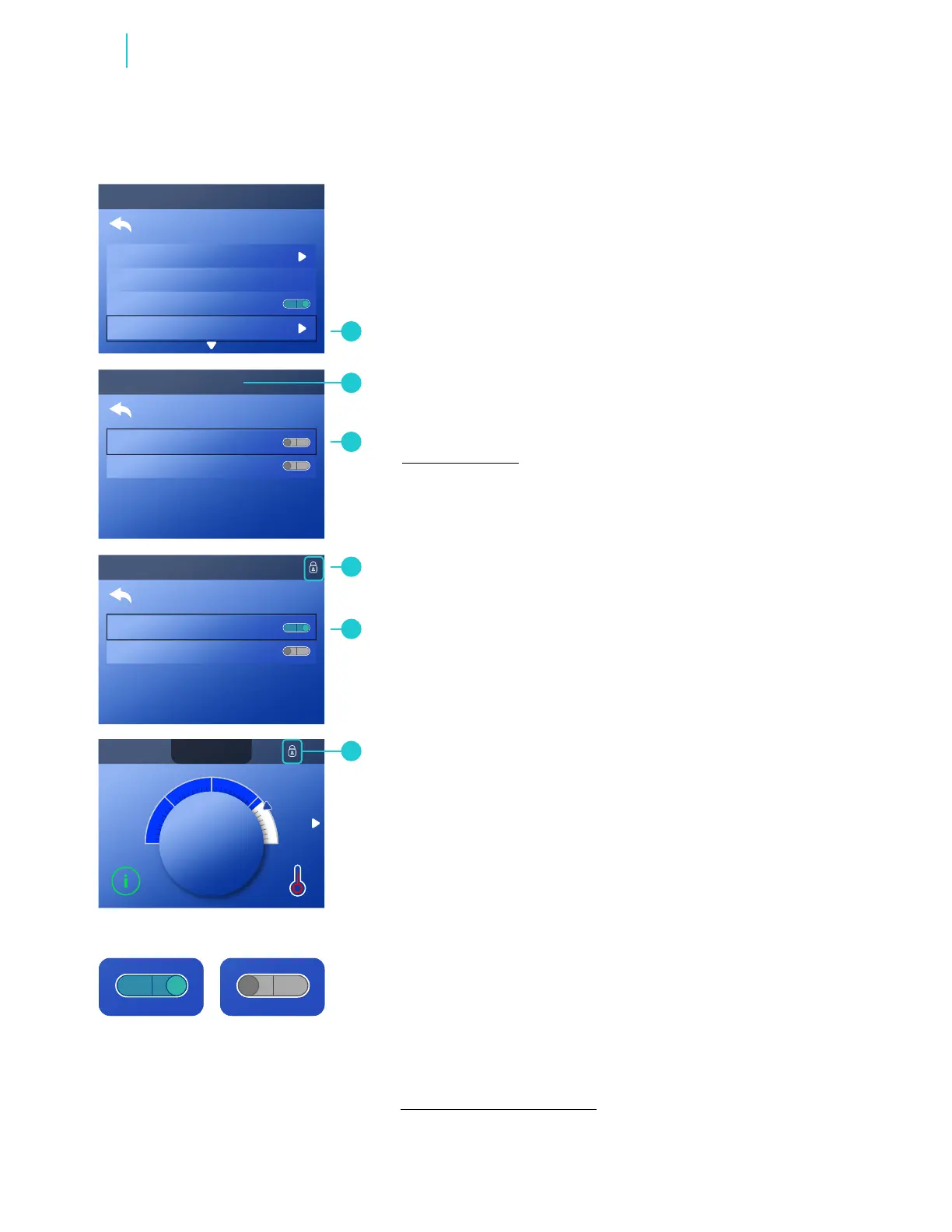
Follow these steps to lock the Settings:
1 - Go to the Main menu, Settings, Locks (A) and Settings
(C).* Settings are unlocked in this example (C).
2 - Press-and-hold the SELECT navigation button for
approximately 5 seconds. After 5 seconds a lock icon will
appear (D) and the switch icon will turn On (E).
Lock icons appear in these locations (D)(F) when the
Settings are locked.
Follow these steps to unlock the Settings:
1 - Go to Settings (E), and press-and-hold the SELECT
navigation button for approximately 5 seconds. After 5
seconds, the lock icons (D)(F) disappear, and the switch icon
turns Off.
Follow the same steps to lock/unlock the panel. Lock icons
appear in these locations (D)(F) when the Panel and/or
Settings are locked.
LOCK THE PANEL
AND/OR SETTINGS
Functions



 To Next Page