4
H 12:00 amR O F
13
C
100
H 12:00 amR O F
13
C
----
Test
Setup # 5
Fault Log
Select Logo
Display
Test
Setup # 5
Fault Log
Select Logo
Display
Setup #
4
5
6
Information
Message Code: 40
Set the time
Error
Message Code: MO28
The heater may be dry
Priming Mode
Review
A B C D F G H
J
I
L
E
KM
Main screen
O
N
BALBOA | Your Single Source Solution Document No. 42418 Rev. B1 - 04/16/24
Language: English
TP740 User Guide
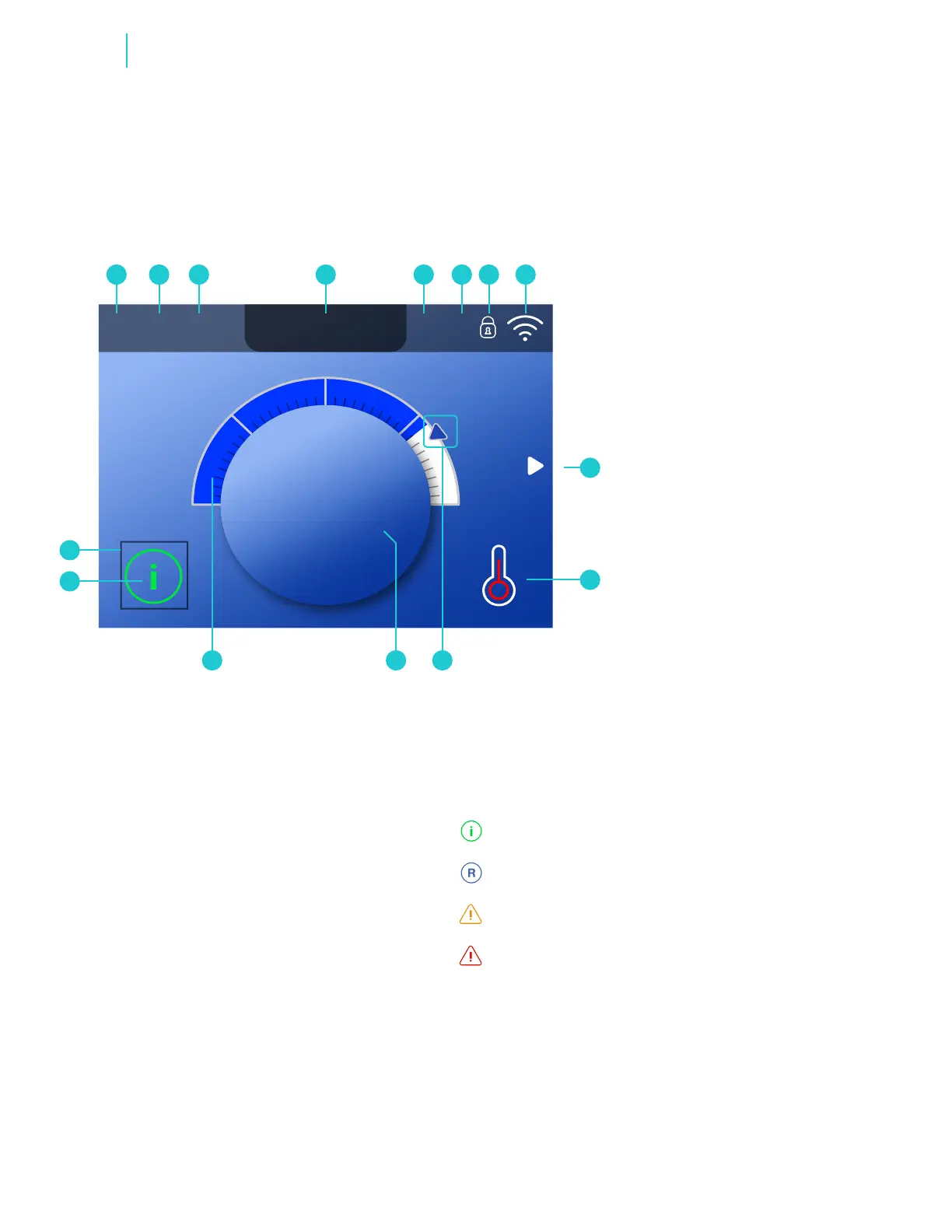
REVIEW MAIN SCREEN
IR
A - Temperature range
High: H
Low: L
B - Heat mode
Ready: R
Rest:
Ready-in-Rest: RR
C - Ozone is running: O
3
D - Time of day
E - Filter cycle is running
Filter cycle 1: F
1
Filter cycle 2: F
2
(optional feature)
Filter cycles 1 & 2 running together: F
12
F - Cleanup cycle is running
(Optional Feature)
G - Panel is locked and/or
Settings are locked
H - Balboa Worldwide App
TM
or ControlMySpa
TM
connected (local or cloud connection)
I - Arrow
J - Heat Status
K - Set temperature arrow
L - Water temperature
M - Water temperature bar
N - Message (may appear)
H 12:00 AMR O F
13
C
Spa Light 1
Settings
H 12:00 AMR O F
13
C
Information
Message Code: 40
Set the time
Information
H 12:00 AMR O F
13
C
Spa Light 1
Settings
H 12:00 AMR O F
13
C
Information
Message Code: 40
Set the time
Reminder
H 12:00 AMR O F
13
C
Spa Light 1
Settings
H 12:00 AMR O F
13
C
Information
Message Code: 40
Set the time
Error - normal error or warning
H 12:00 AMR O F
13
C
Spa Light 1
Settings
H 12:00 AMR O F
13
C
Information
Message Code: 40
Set the time
Error - spa will not function until xed
O - Selection box
Important information about
the current state of your spa is
displayed on the Main screen.
NOTE: Not all control systems are
congured the same. Spa devices,
Settings, and various menu items
may vary on your control panel.



 To Next Page