13
H 12:00 AMR O F
13
C
100
Units
°F
12 HR
Temperature
Time
Settings
0.5 hr
Filter
Hold
Cleanup
Units
Settings
H 12:00 AMR O F
13
C
Units
°F
12 HR
Temperature
Time
Settings
0.5 hr
Filter
Hold
Cleanup
Units
Settings
H 12:00 AMR O F
13
C
C
D
Main screen
H 12:00 amR O F
13
C
100
H 12:00 amR O F
13
C
Spa Light Music Settings Invert Test
H 12:00 amR O F
13
C
Light
Spa
H 12:00 amR O F
13
C
H 12:00 amR O F
13
C
100
H 12:00 amR O F
13
C
100
H 12:00 amR O F
13
C
100
H 12:00 amR O F
13
C
100
Spa
H 12:00 amR O F
13
C
Spa Light Music Settings Invert Test
H 12:00 amR O F
13
C
Light
Spa
H 12:00 amR O F
13
C
H 12:00 amR O F
13
C
Settings
H 12:00 amR O F
13
C
100
H 12:00 amR O F
13
C
100
B
E
* View “Navigate Settings Menu” on page 7.
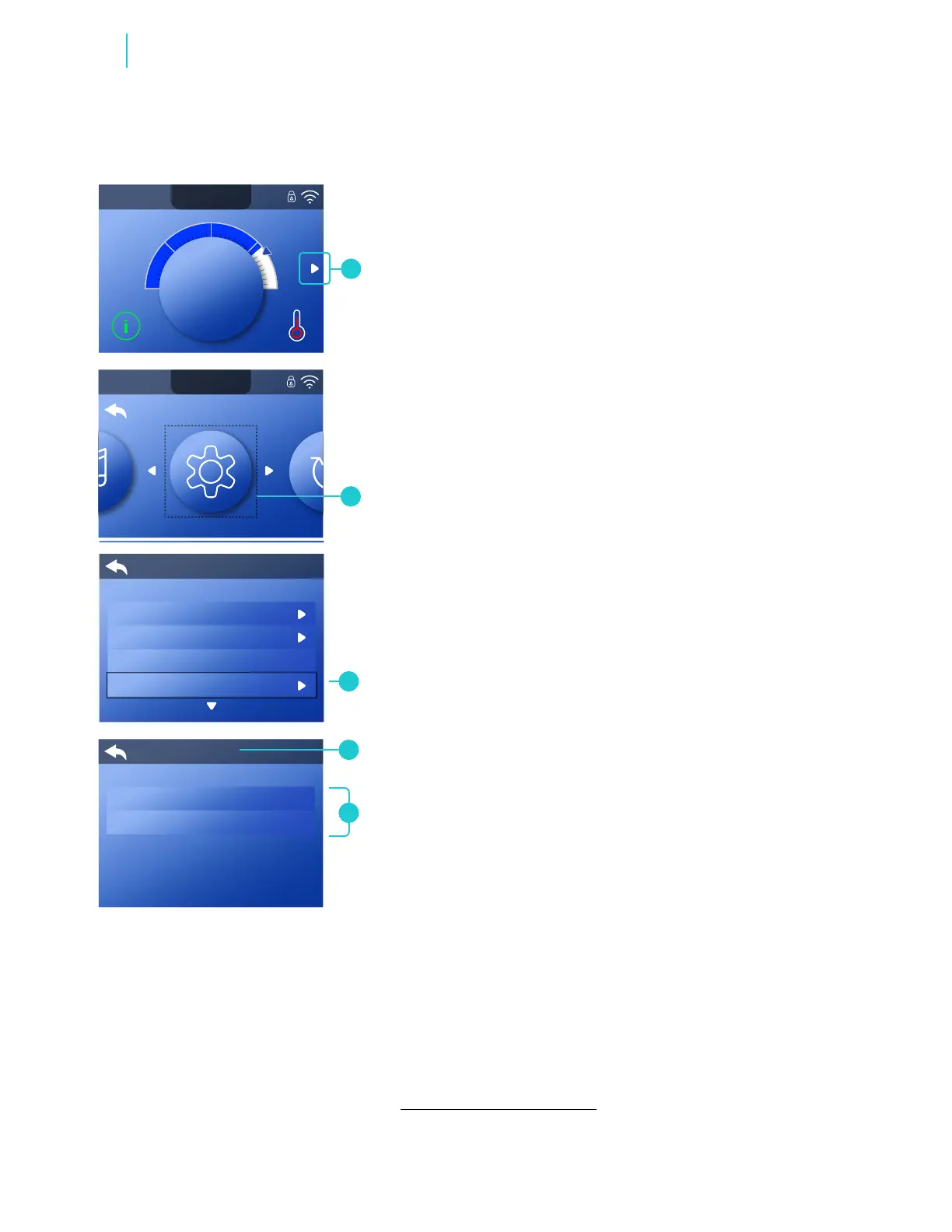
Follow these steps to set the units:
1 - Go to the Main menu (A), Settings (B) and
Units (C) to view the Units screen (D).
2 - Set the Temperature units and Time units
(E). The changes take effect immediately. No
need to press a save button.
SET UNITS
A
BALBOA | Your Single Source Solution Document No. 42418 Rev. B1 - 04/16/24
Language: English
TP740 User Guide
Functions



 To Next Page