42
BALBOA | Your Single Source Solution Document No. 42418 Rev. B1 - 04/16/24
Language: English
TP740 User Guide
H 12:00 amR O F
13
C
100
H 12:00 amR O F
13
C
----
Test
Setup # 5
Fault Log
Select Logo
Display
Test
Setup # 5
Fault Log
Select Logo
Display
Setup #
4
5
6
Information
Message Code: 40
Set the time
Error
Message Code: MO28
The heater may be dry
Priming Mode
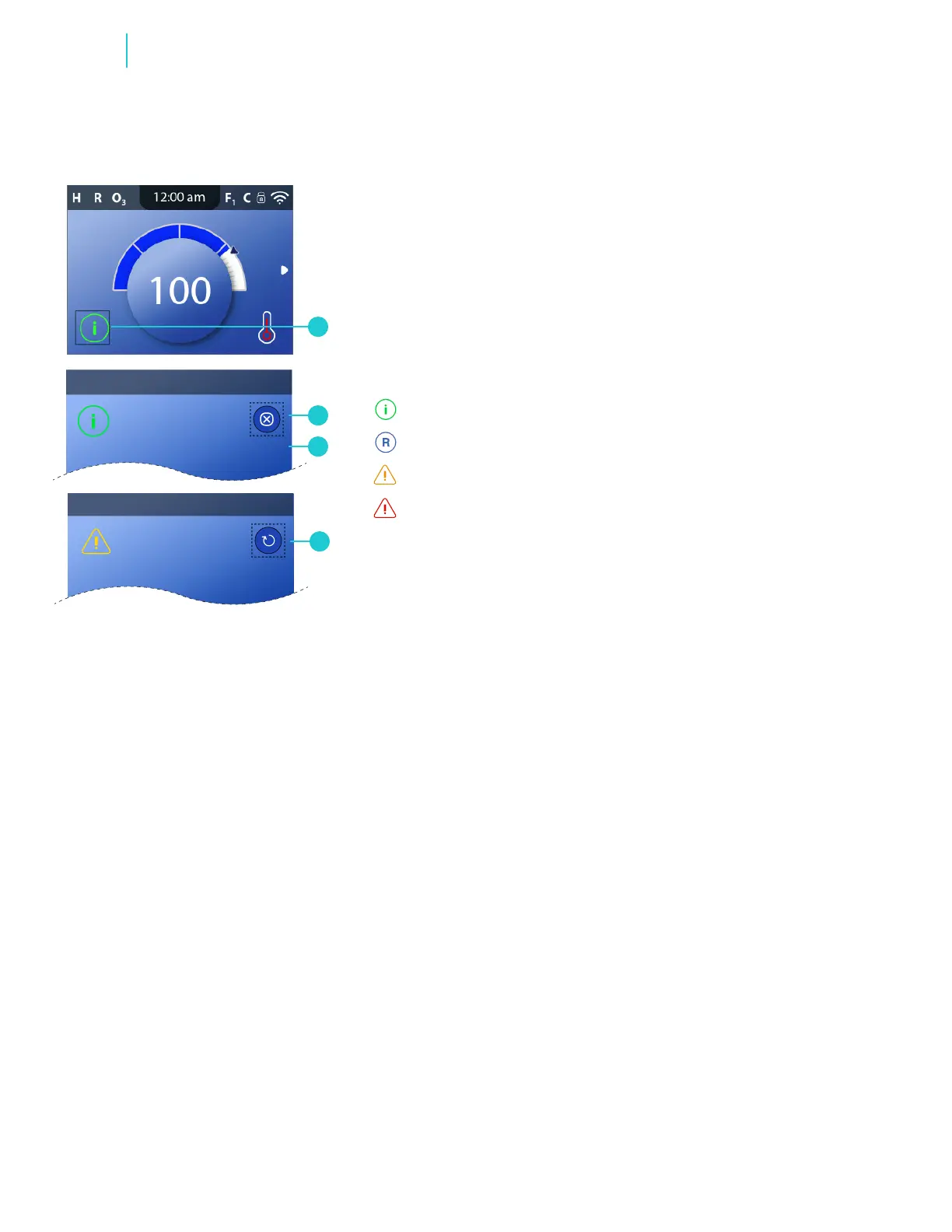
One of the following icons will appear in the bottom
left corner of the Main screen (A).
VIEW MESSAGES
Follow these steps to view the message:
1 - A message may appear automatically. If so, skip
to step 3.
2 - Go here (A) to view the message (C).
3 - Exit the screen (B or D).
H 12:00 AMR O F
13
C
Spa Light 1
Settings
H 12:00 AMR O F
13
C
Information
Message Code: 40
Set the time
H 12:00 AMR O F
13
C
Spa Light 1
Settings
H 12:00 AMR O F
13
C
Information
Message Code: 40
Set the time
H 12:00 AMR O F
13
C
Spa Light 1
Settings
H 12:00 AMR O F
13
C
Information
Message Code: 40
Set the time
H 12:00 AMR O F
13
C
Spa Light 1
Settings
H 12:00 AMR O F
13
C
Information
Message Code: 40
Set the time
Information
Reminder
Error - normal error or warning
Error - spa will not function until xed
H 12:00 amR O F
13
C
100
H 12:00 amR O F
13
C
----
Test
Setup # 5
Fault Log
Select Logo
Display
Test
Setup # 5
Fault Log
Select Logo
Display
Setup #
4
5
6
Information
Message Code: 40
Set the time
Error
Message Code: MO28
The heater may be dry
D
B
A
C
If a message has a clear button (D), the message
may not go away until a certain condition is met. For
example, the water temperature in the heater may
need to change before a message will clear.
Messages



 To Next Page