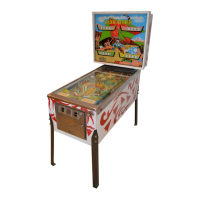
ALPHA 2 Pro™ Wave Operator’s Instruction Manual
MKT-AH-1CC40ST [A] 7
Unpacking and Inspecting the Machine
STEP 1. Remove any plastic packaging.
STEP 2. Verify that the serial numbers on the cabinet match
with the shipping documents associated with the
installation.
STEP 3. Inspect the cabinet for any shipping damage, such as
dents or scratches.
STEP 4. Unpack and remove all loose parts from any boxes or
bags containing cables, lock cams, and mounting
hardware.
STEP 5. Remove all plastic or paper packing materials from
any interior assemblies, such as a printer.
STEP 6. Inspect the interior cables and ensure they are firmly
connected.
STEP 7. Inspect the circuit board assemblies for loose
connections.
STEP 8. Locate and open the logic door.
STEP 9. Reseat the flash media in the sockets if necessary.
STEP 10. If the machine is damaged or any parts are missing,
then please contact your Bally Technologies
Distributor or Customer Service Representative for
Return Merchandise Authorization (RMA) information.
CAUTION
All serial numbers must match the shipping
documents that are associated with the
installation. Never remove serial numbers from
any Bally equipment.
TIP
During shipping, cables may become disconnected
and circuit boards may become unseated. Ensure
they are firmly attached before proceeding.
CAUTION
If a new machine is damaged and awaiting
replacement parts, then do not remove any
existing parts from it for use in another machine.
MKT-AH-1CC40ST.book Page 7 Friday, November 15, 2013 3:47 PM



 To Next Page