ALPHA 2 Pro™ Wave Operator’s Instruction Manual
28 MKT-AH-1CC40ST [A]
Refilling the Printer Paper
STEP 1. Open the upper door. See “Opening and Closing
Doors” on page 10.
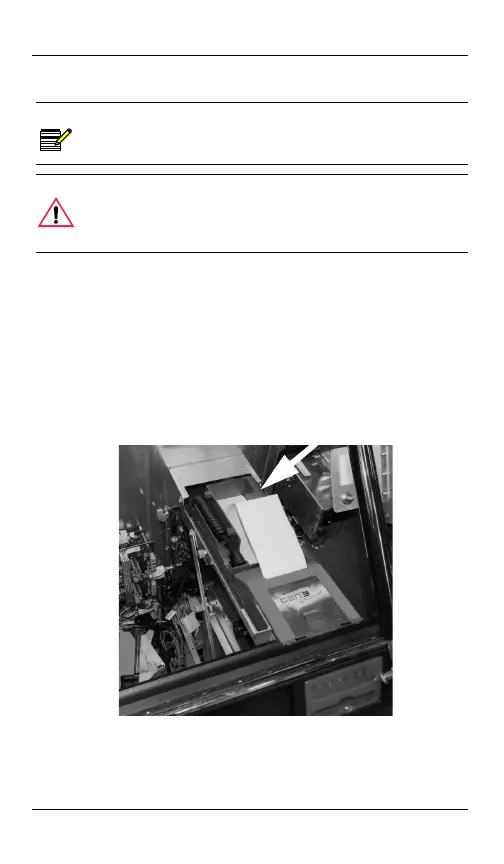
STEP 2. Put the coupon paper in the paper tray in the
appropriate orientation.
STEP 3. Insert the coupon paper into the printer mechanism
and close the upper door.
NOTE
Printer paper refill procedures depend upon the
machine model specification, added equipment,
and the jurisdiction.
CAUTION
Complete your site’s procedures for accessing the
machine. Obtain appropriate coupon paper and
ensure the coupon paper matches the machine’s
coupon printer size and capacity.
Put coupon paper in the paper tray
and insert it into the printer.
MKT-AH-1CC40ST.book Page 28 Friday, November 15, 2013 3:47 PM


 To Next Page