ALPHA 2 Pro™ Wave Operator’s Instruction Manual
22 MKT-AH-1CC40ST [A]
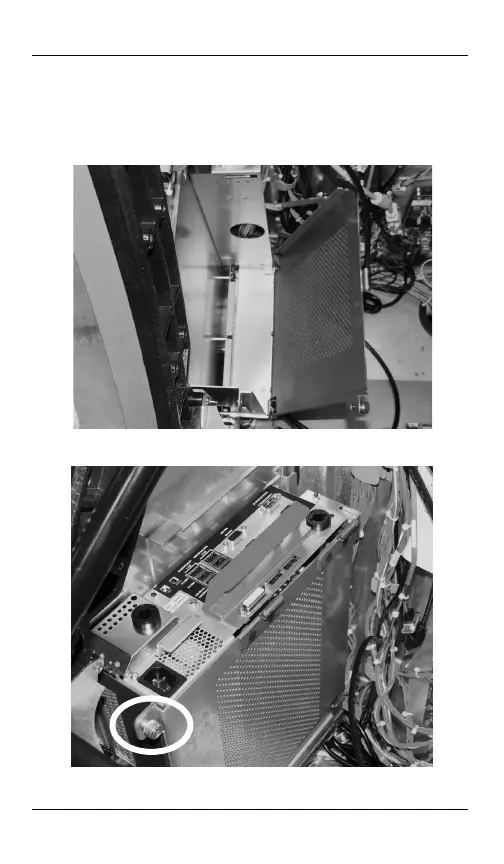
Installing the MPU
STEP 1. Open the upper door and open the MPU cover plate.
STEP 2. Insert the MPU into the provided MPU bracket by
lowering, leaning it forward, then lowering into the
connectors.
STEP 3. Close the MPU cover plate and secure by turning the
thumbscrew clockwise.
MKT-AH-1CC40ST.book Page 22 Friday, November 15, 2013 3:47 PM



 To Next Page