ALPHA 2 Pro™ Wave Operator’s Instruction Manual
MKT-AH-1CC40ST [A] 21
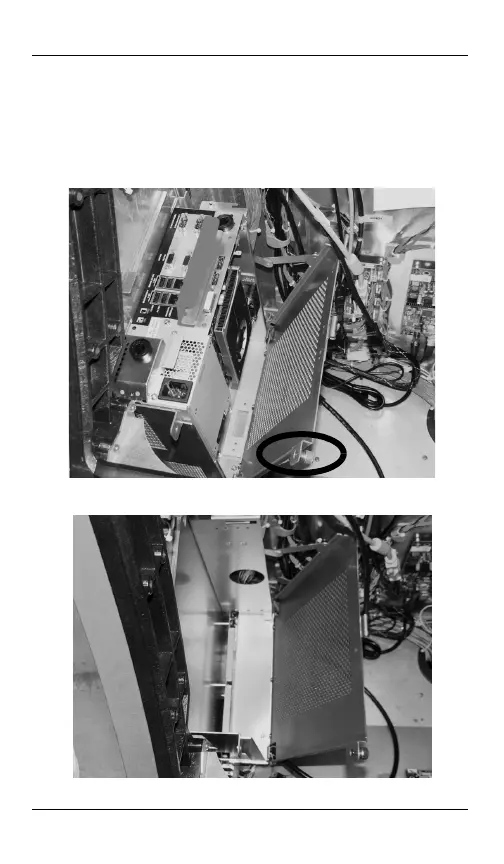
Removing the MPU
STEP 1. Open the upper door.
STEP 2. Locate the MPU on the left side of the cabinet.
STEP 3. Turn the thumbscrew counterclockwise to unfasten
the MPU cover plate and pull the plate towards the
center of the cabinet.
STEP 4. Lift the MPU by the handle to release, lean it forward,
then lift again to remove the MPU.
MKT-AH-1CC40ST.book Page 21 Friday, November 15, 2013 3:47 PM


 To Next Page