119R5914712 /00 SP2K-C
11.2 White point calibration
What has to be done?
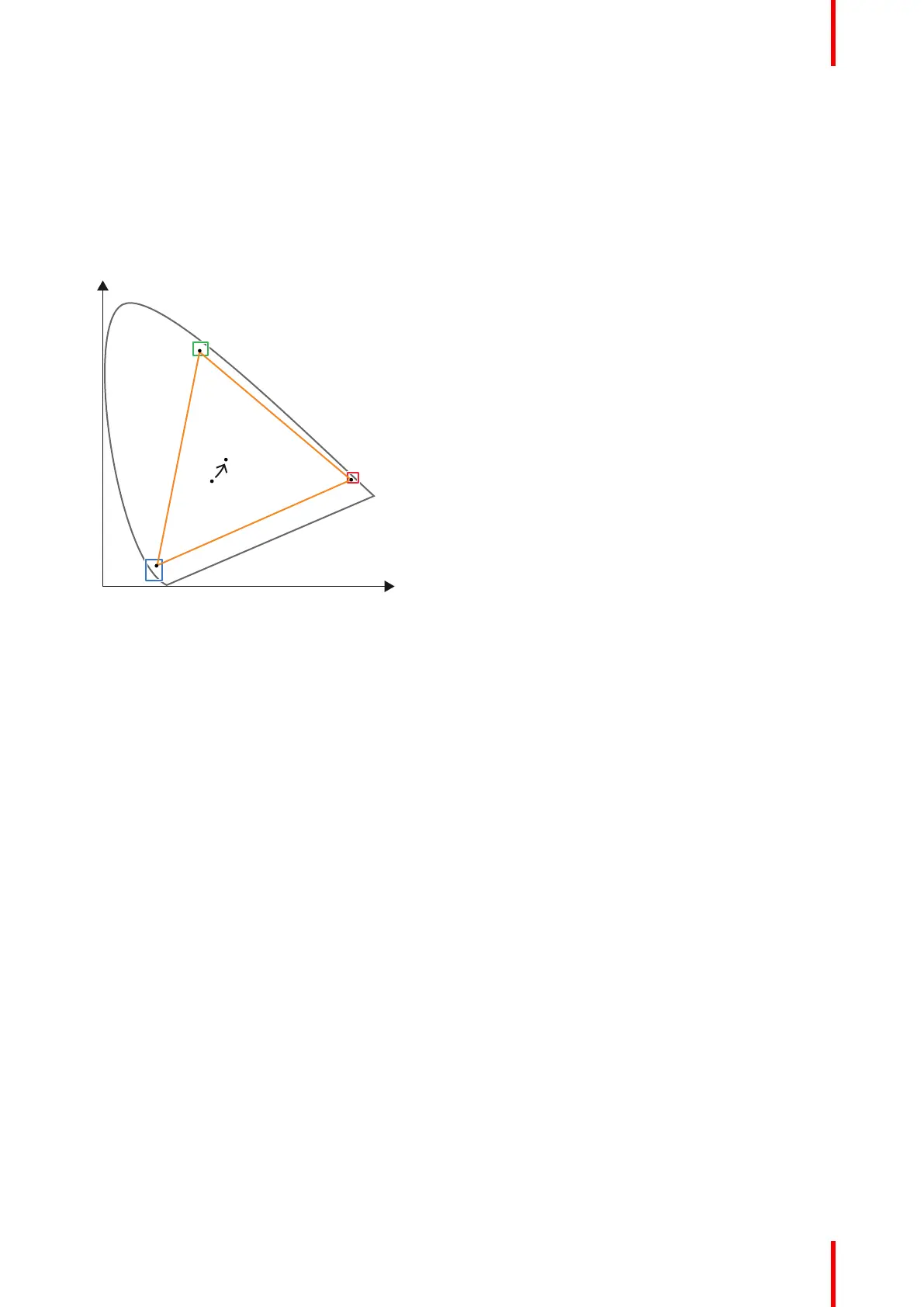
By default the native white point of a projector will always vary slightly from the DCI standard. In order to meet
the DCI standard, this uncorrected native white point (W
n
) has to be shifted towards the DCI white point (W
t
).
The coordinates of the DCI white point (x
w
=0.314 ; y
w
=0.351) are embedded in the projector software and
cannot been changed. The coordinates of the projector uncorrected white point has to be measured and
entered.
Image 11–1 Shifting projector ‘white point’ towards desired white point (laser power calibration)
The projector uncorrected white point can be defined by measuring the xy coordinates of the uncorrected
primary colors (red, green, blue) and uncorrected full white separately.
The initial set of xy values stored in the projector for the uncorrected white point are the same as for DCI white
point. After white point calibration, the initial values are overwritten with the measured values.
Laser correction
Based on the measured values the projector can balance the power of the lasers to move the projector
uncorrected white point towards the desired white point. This adjustment is called 'Laser correction' or 'Laser
power calibration'.
2D and 3D projector mode
The projector uncorrected white point is different for 2D projection and 3D projection. Therefore, the projector
uncorrected white point has to be measured and entered for each projection mode separately. Per projection
mode one set of measured values are stored. Depending on the projection mode, the corresponding set is
used for white point correction.
In case of 3D projection, the xy coordinates of uncorrected white has to be measured twice. Once through the
left eye glass of the 3D goggles and once through the right eye glass.
Required tools
• Spectroradiometer
• Web Communicator software
Preparations
1. Place a spectroradiometer in the auditorium. Position it in such a way it meets the following requirements.
• Perpendicular to the screen.
• In the auditorium sweet spot.
• In such a way it can measure the reflected light from the center of the screen.
Color calibration



 To Next Page