131R5914712 /00 SP2K-C
12.8 Mounting the operator side cover
The right side cover can only be mounted when the front and rear cover are removed. This
procedure assumes these two covers have been removed.
Required tools
Torx screwdriver T20
How to mount
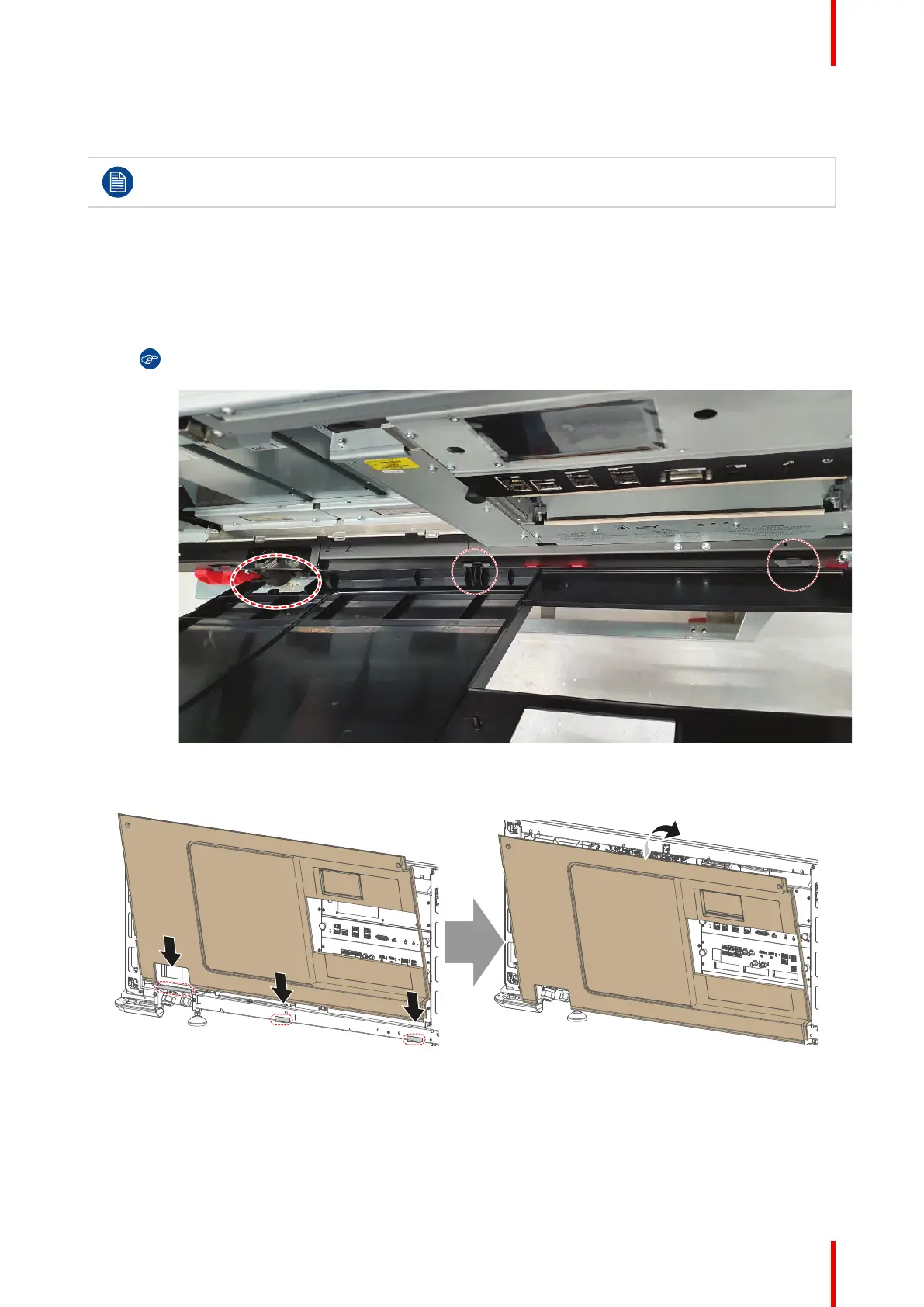
1. Carefully place the side cover onto the three cover hooks, located on the bottom frame of the projector.
Tip: Place the cover in a slightly tilted angle so you can clearly see the hooks while mounting the
cover.
Image 12–11
2. Push the upper side of the cover towards the projector to close it.
Image 12–12 Mounting the side cover
3. Fasten the side cover with the two top screws. Use a T20 Torx screwdriver.
Projector covers



 To Next Page