R5914712 /00 SP2K-C52
5.3 Installation of a lens
Take into account that you can only install a limited range of lenses on an SP2K-C projector. For the
full list of available lenses, refer to “Available lenses”, page 50.
How to install a lens into the lens holder
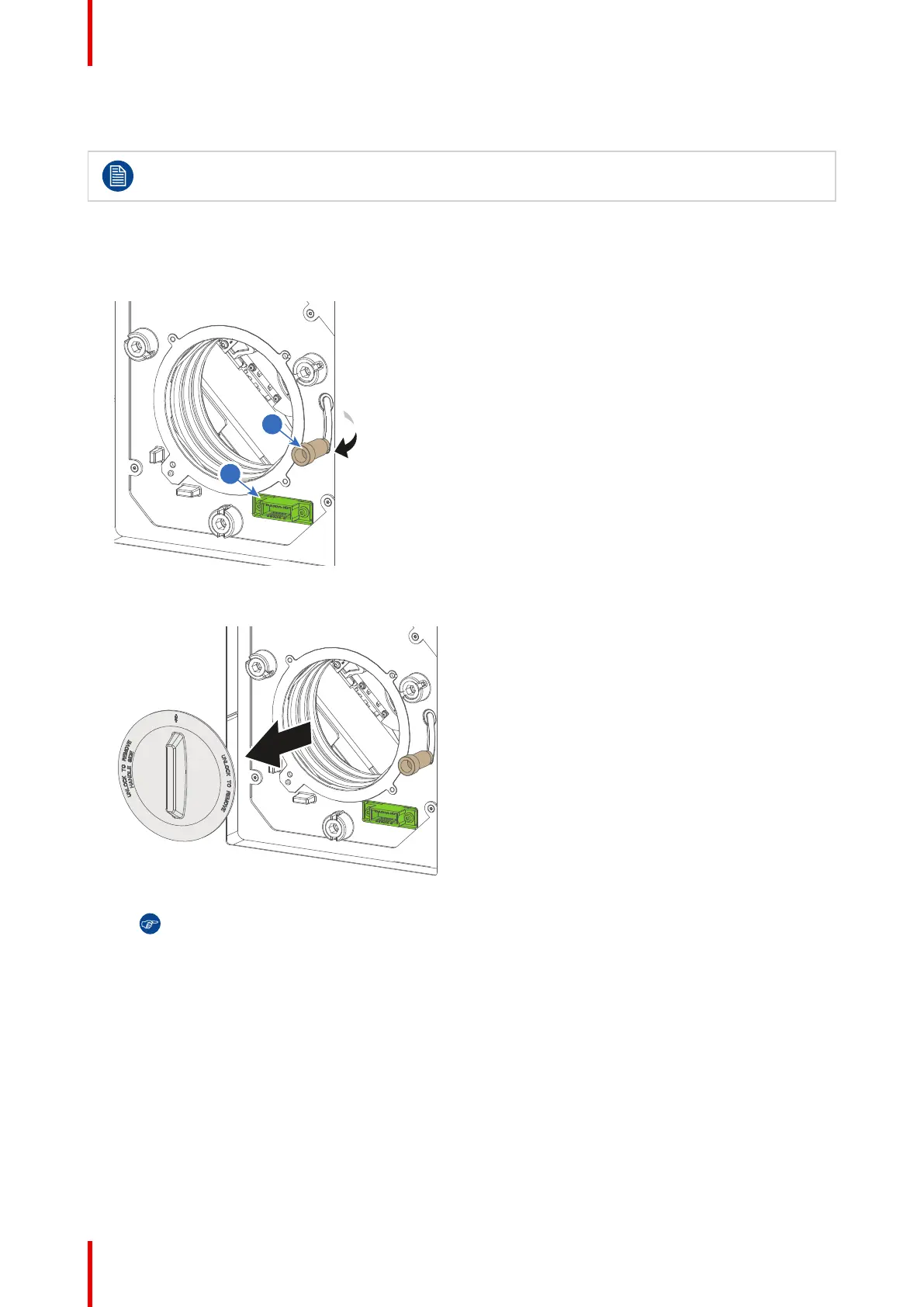
1. Place the lens holder in the “unlocked” position. Do this by pulling the lens lock handle (reference 1,
Image 5–2) outward and then towards the lens power supply socket (reference 2) as illustrated.
Image 5–2 Lens installation, preparation
2. Remove the dust cover from the lens opening.
Image 5–3
Tip: While not placed in the projector, place the dust cover in a lockable plastic bag to prevent
dust from gathering on the cover.
3. Take the lens assembly out of its packing material and remove the lens caps on both sides.
4. Gently insert the lens in such a way that the lens connector matches the socket (reference 2).
Lenses & Lens holder



 To Next Page