R5914712 /00 SP2K-C112
10.4 Red on Green convergence
This procedure can only be executed when all preparations are taken to converge the image.
Required tools
No tools required.
How to converge
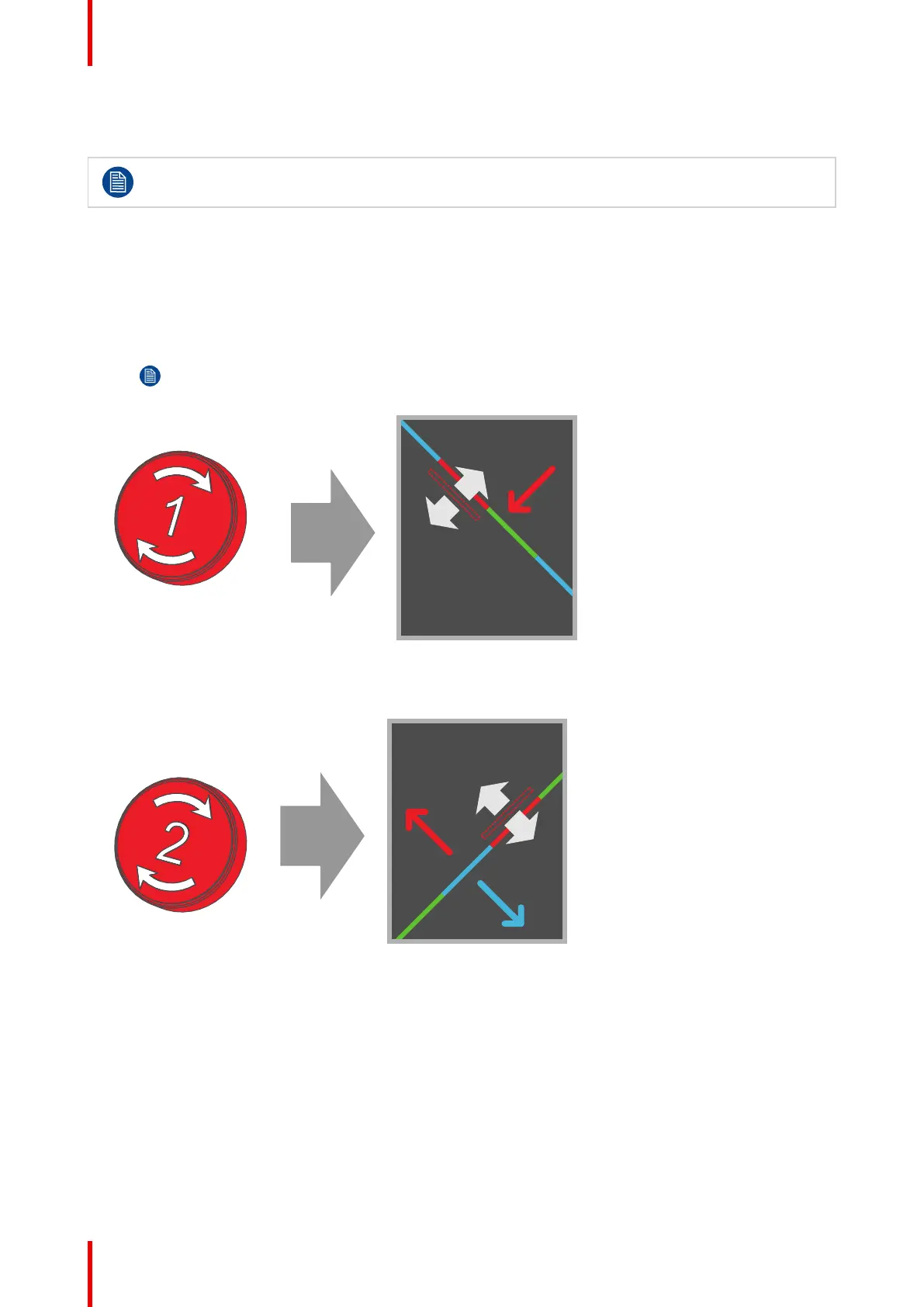
1. Slightly turn the red colored control knob number 1 until the red pattern in the center of the projected
image converges with the green pattern. Note that 34 turns of the knob corresponds with one full pixel.
Note: When start turning the knob, a little resistance can be felt. This resistance is part of the
internal locking mechanism of the adjustment.
Image 10–9 Clockwise turning will move line downwards
2. Slightly turn the red colored control knob number 2 until the red pattern in the lower left of the projected
image converges with the green pattern.
Image 10–10 Clockwise turning will move line upwards
3. Slightly turn the red colored control knob number 3 until the red pattern in the upper right of the projected
image converges with the green pattern.
Convergence



 To Next Page