R5914712 /00 SP2K-C28
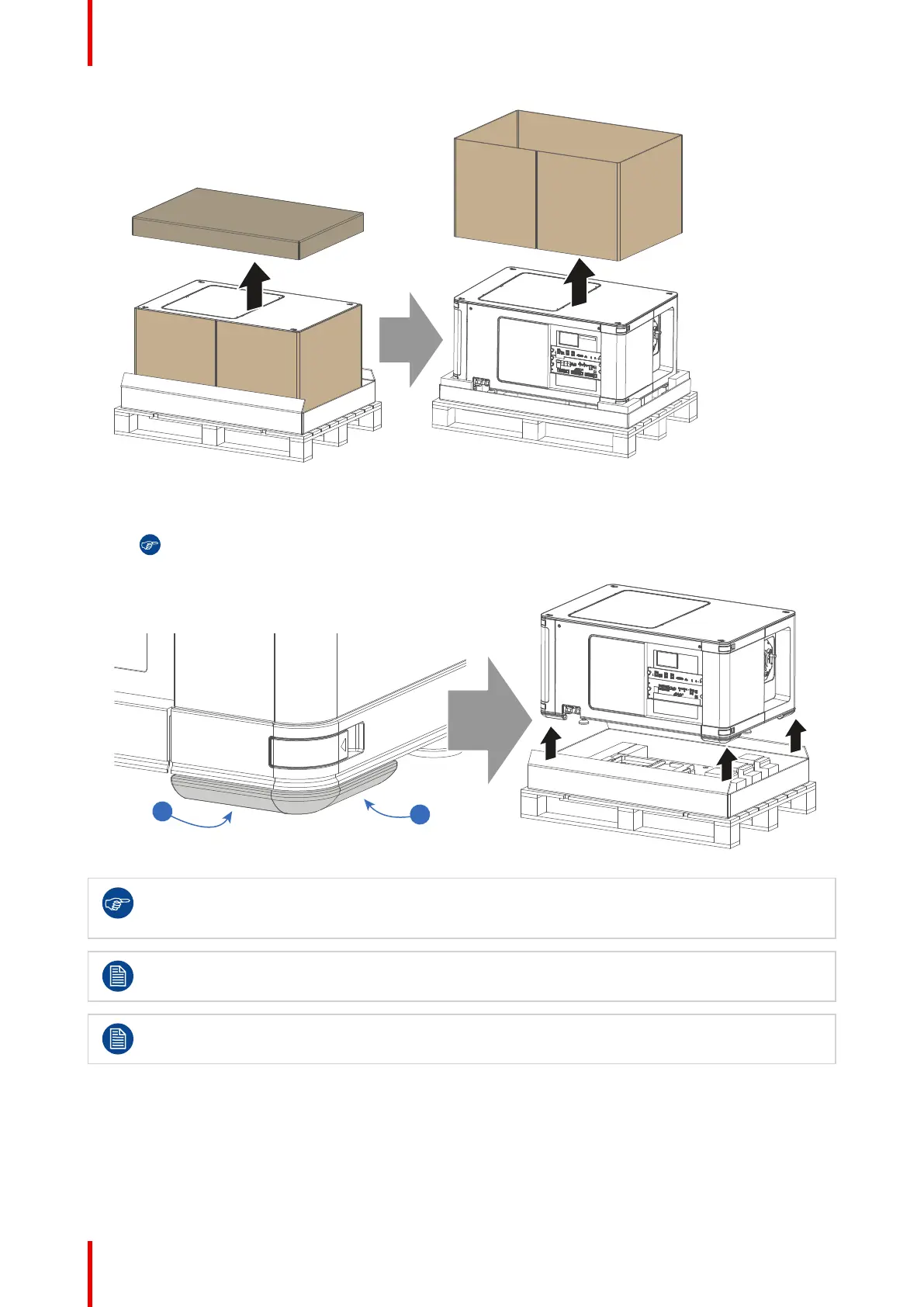
Image 2–4 Removing the cardboard pieces
9. Lift the projector from the wooden pallet by gripping the corner handles of the projector with both hands
and place the projector on the pedestal.
Tip: The corner handles are wide enough to fit both your left (L) and right (R) hand. Only use the
handles to lift the projector.
Image 2–5 Lifting up the projector
Save the original shipping carton and packing material, they will be necessary if you ever have to
ship your projector. For maximum protection, repack your projector as it was originally packed at the
factory.
The projector is delivered with a plastic cover inside the Lens Holder. This to prevent intrusion of
dust and foreign particles.
The projector is not delivered with a lens by default. If you also ordered a lens, it will be delivered in
a separate box. For lens installation, see “Lenses & Lens holder”, page 49.
Getting started



 To Next Page