R5914712 /00 SP2K-C40
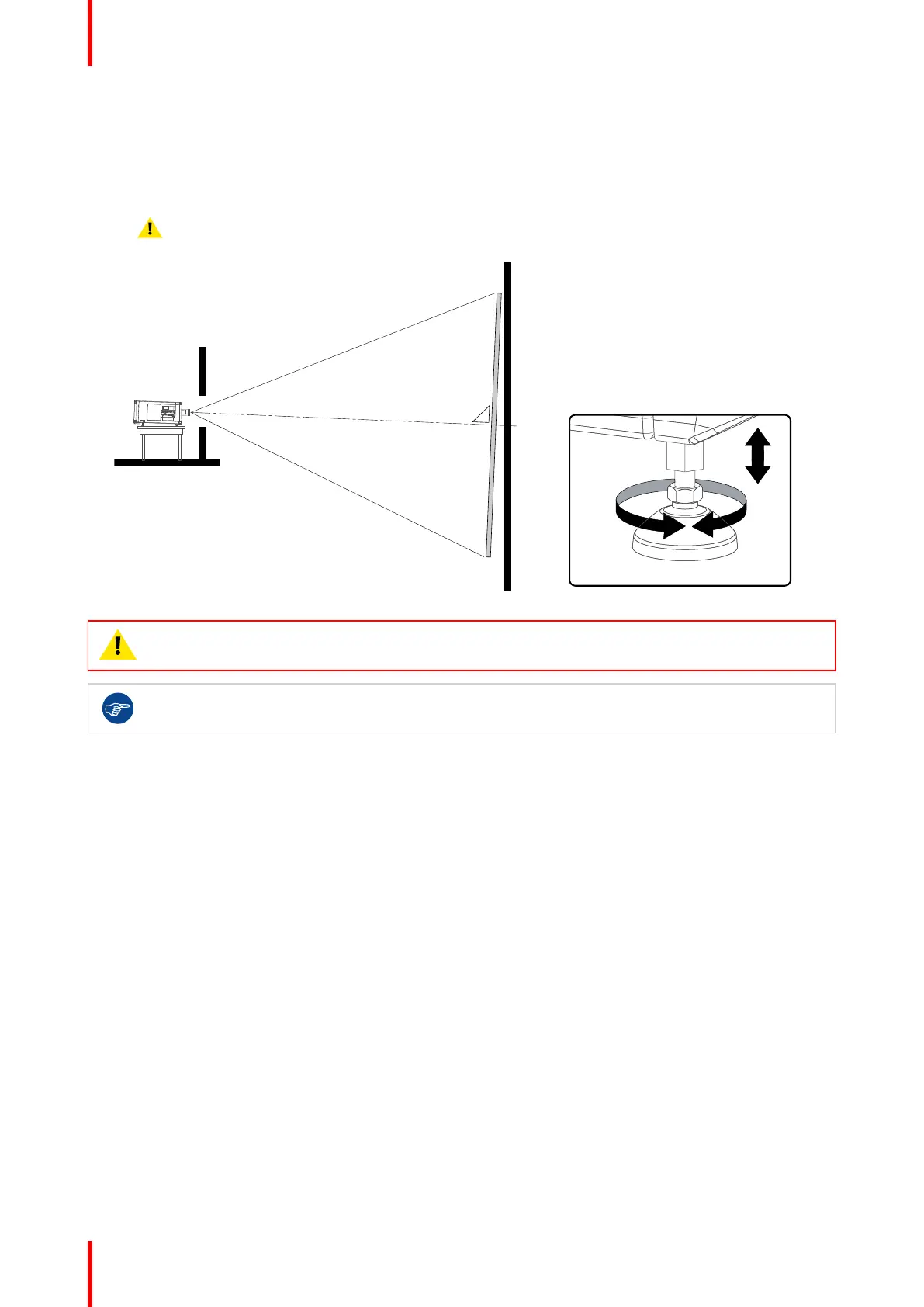
3. Tilt the projector to closely match this screen tilt angle as follows:
• Loosen the nuts (A), using a wrench of 17 mm, on the threaded rod.
• Adjust the height of the legs until the projected image matches the projection port window and the
screen tilt.
• Secure the leg height by tightening the nuts (A).
Caution: Check if the nuts of the projector feet are sufficiently tightened.
Image 4–4 Projector tilting
CAUTION: The projector may tilt maximum 15° forward and maximum 15° backwards. This
includes the tilt created by the projector feet and the tilt created by the pedestal.
Barco offers a pedestal for the projector. This pedestal allows you to easily tilt the projector forward
up to 6°.
Physical installation projector



 To Next Page