Delivery mode
33
Aircraft Refuelling, Operating Instructions, BA 090323, (07.03.2022)
4.8.2 Interrupting delivery
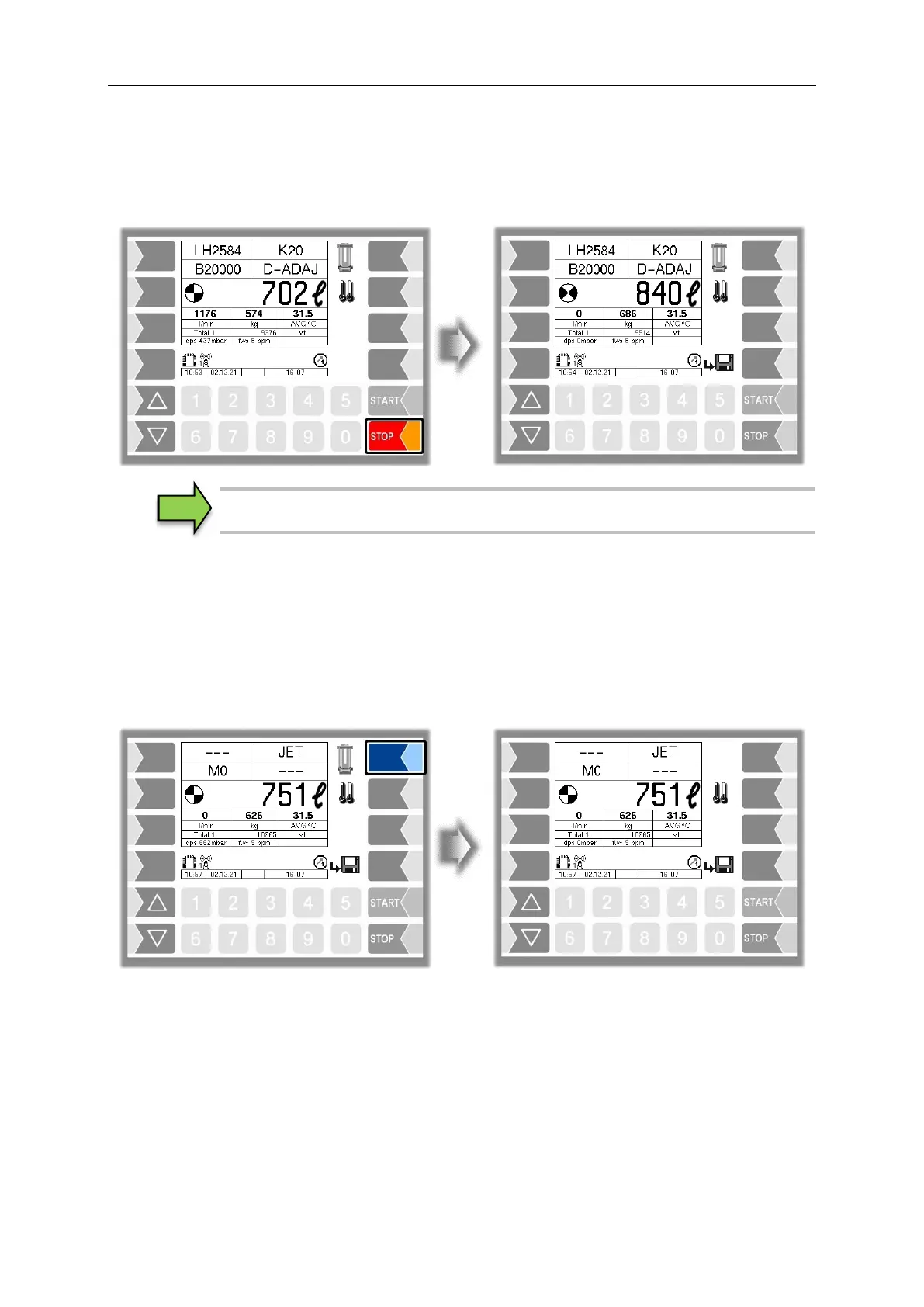
Press the "Stop" button to stop all the current delivery processes. Press the "Start" button to restart the
delivery processes.
With an "MIF" double delivery, you can stop and restart the corresponding deliveries
by using the number keys. The numbers correspond to the meter number concerned.
4.8.3 Confirm water test
According to the applicable operating instructions, fuel intended for aircraft must be checked during fuel-
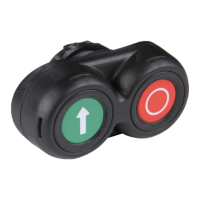
filling to make sure that it does not contain water. The "Water test" softkey will be displayed on the
delivery window depending on the configuration. The operator can use this softkey to confirm that the
water test has been carried out. The message "Water test done" is sent to the dispatcher. The softkey
will be displayed until you have confirmed the water test.
Sequence Controls Menu/ Dialog Parameters/Detector test)
4.8.4 Switching the temperature display
You can use this softkey to switch the display from the average temperature (AVG) to the current
temperature (ACT) or vice versa


 To Next Page