Delivery mode
20
Aircraft Refuelling, Operating Instructions, BA 090323, (07.03.2022)
4.2 Proceeding an order
The "Tour" window or the "Order details" window will appear depending on the configuration. Different
types of display are available for the "Order details" window.
4.2.1 Order details Window
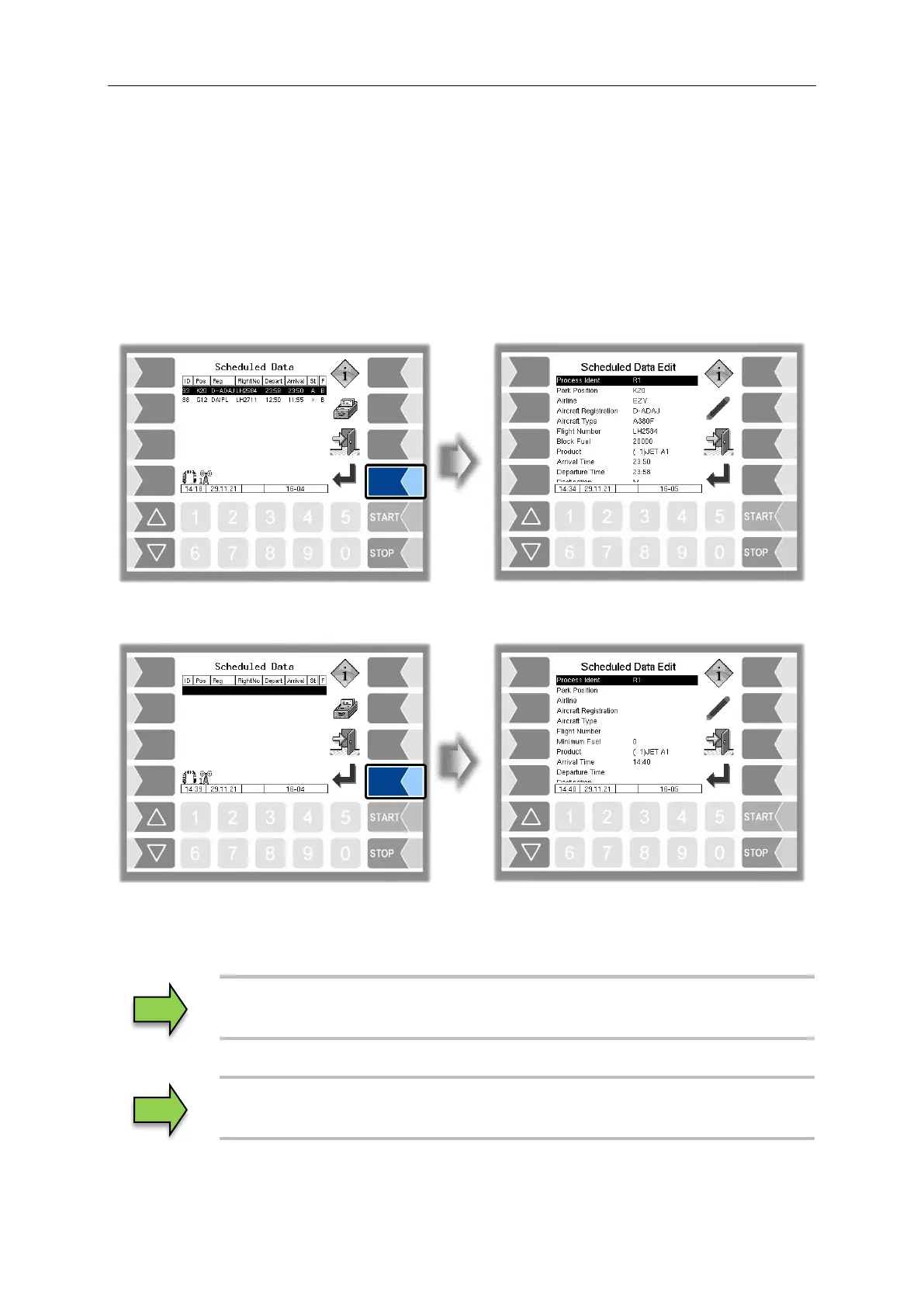
The orders planned by the office are displayed in the "Order details" window. Use the selection keys to
select an order and start it with the "Confirmation" softkey. The order will then have the status "in
progress" in the office.
If there are no orders, you can start an unscheduled order with the "Confirmation" softkey.
However, in this case, you must edit the order fields manually. To do this, you must select the order field
using the selection keys and confirm it with the "Edit" softkey. To edit the order fields, see the chapter
"Special functions – unscheduled order"


 To Next Page