Delivery mode
34
Aircraft Refuelling, Operating Instructions, BA 090323, (07.03.2022)
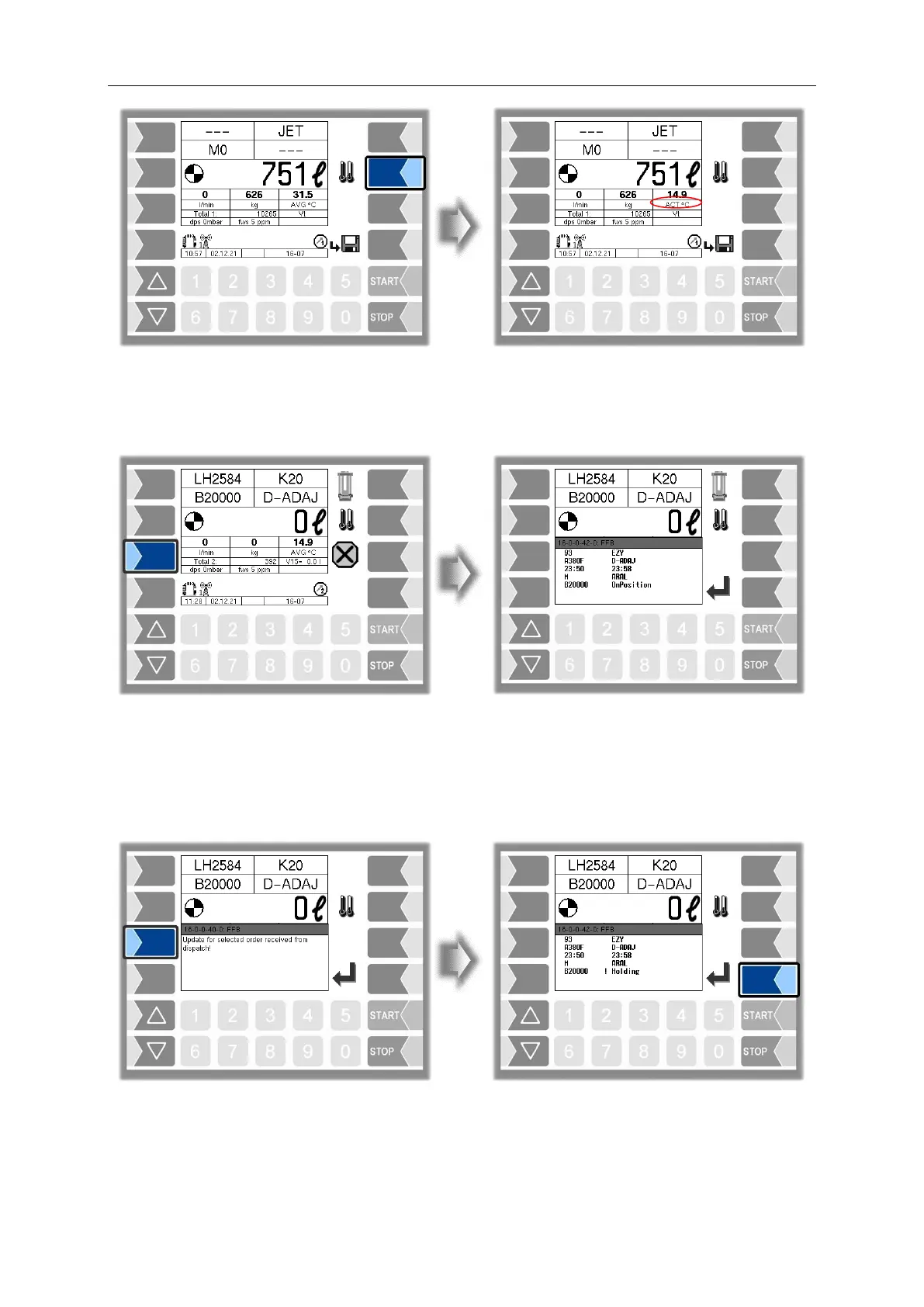
4.8.5 Displaying the current order data
You can use the third softkey down on the left-hand side to display information about the current order
4.8.6 Updating an order
If the dispatcher has updated the data for a selected order, or if the order has been deleted, a message
is output on the display. The logical output 20 is set. A connected signalling device can be tripped in this
way. After the dialog message has been confirmed, logical output 20 will also reset.


 To Next Page