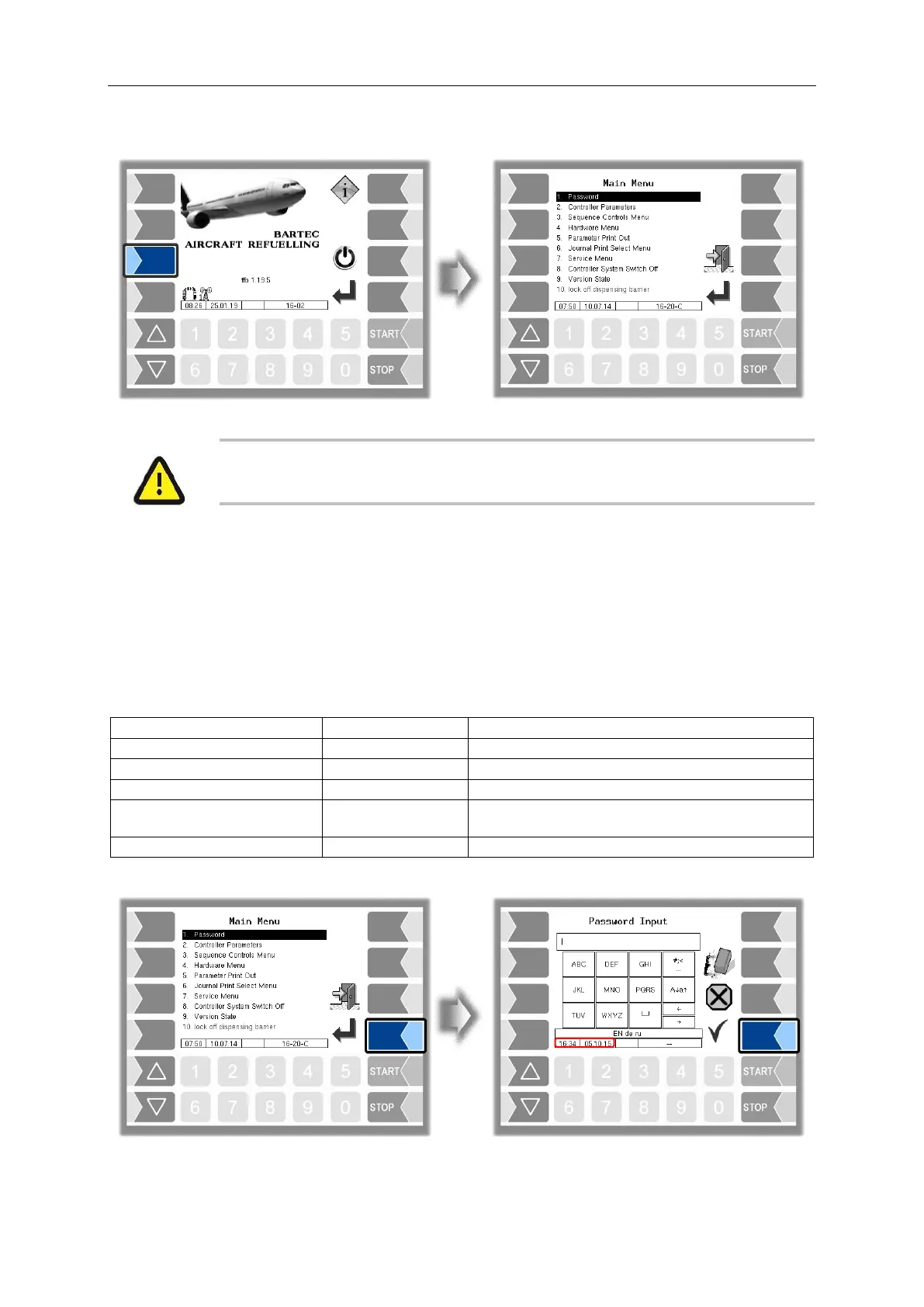
Main Menu
56
Aircraft Refuelling, Operating Instructions, BA 090323, (07.03.2022)
6 Main Menu
With a master/slave double delivery, the main menu on the master base module
must not be called up while fuel-filling on the slave base module is in progress.
6.1 Entering the driver password
The software configuration is protected by passwords which allow access to various configuration
options. The password level which is currently accessible is indicated by a flashing letter in the info line
on the display. Each password level includes all the lower password levels. Only the menus and
functions to which you have access without entering a password or after entering the driver password
are described here. After entering the driver's password, you can change the "System time" and "Device
language" entries on the "Controller parameters" menu, for example.


 To Next Page