Main Menu
57
Aircraft Refuelling, Operating Instructions, BA 090323, (07.03.2022)
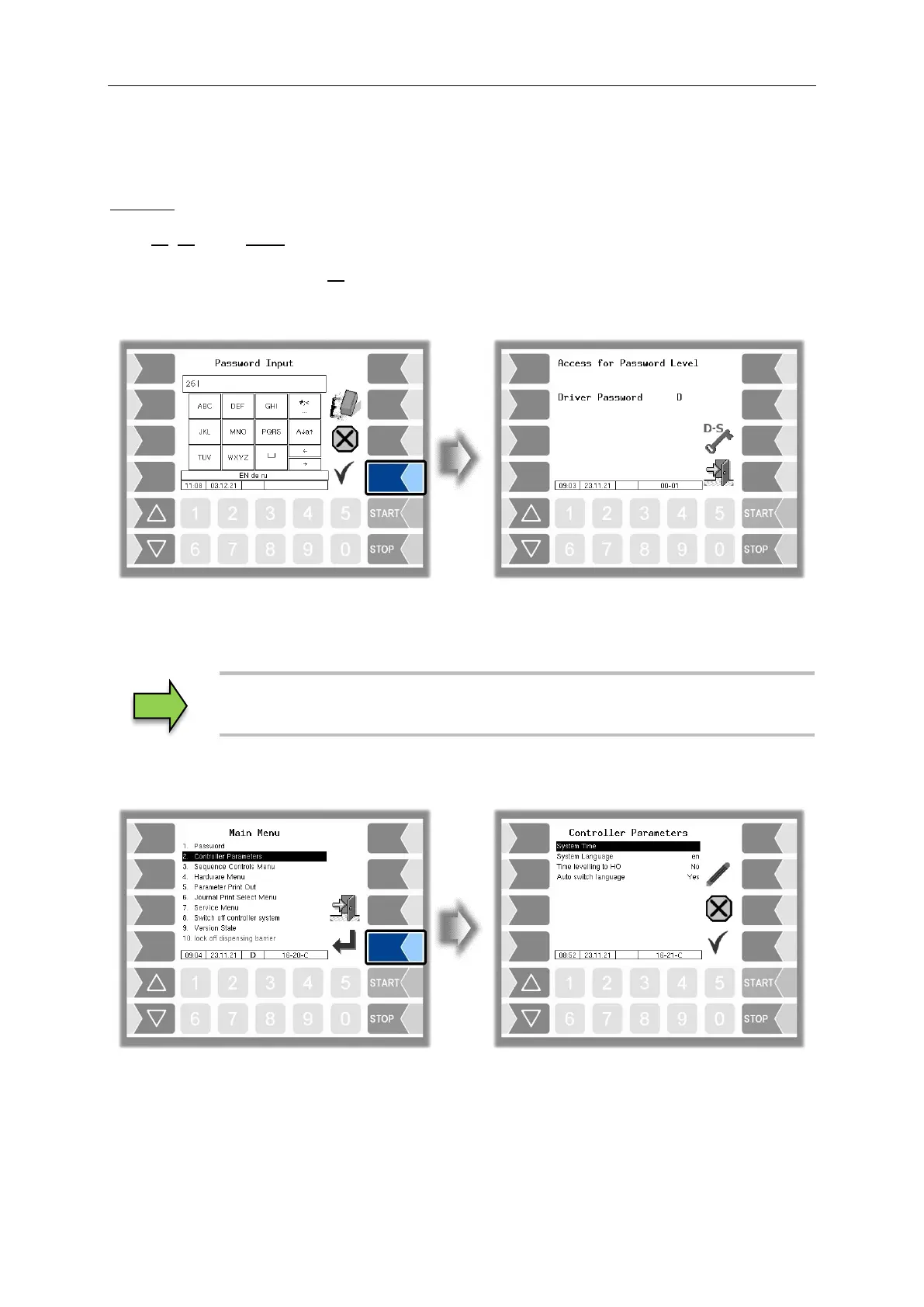
The driver password can be entered using the alphanumeric input field. The driver password is the sum
of the day, month and hour (as shown on the display)
Driver password = day + month + hour
Example:
Date: 21. 03. 2017, 07:28 h
Driver password = 21 + 3 + 7 = 31
After confirming the password, you will see the password levels which can be accessed.
You can use the softkey to reopen the window to enter the password (driver, user or service password).
Leave the password entry using the "Accept and save" softkey. After leaving the main menu, you must
enter the password again.
You can open all the other submenus on the "Main menu" without entering a
password, but you cannot make any changes.


 To Next Page