18UM-16-012
COMMON SCREENS
REGISTER SETUP SCREEN (CONTINUED)
• Be sure that the register address specified is accurate for the register in
use. The synchronization can be restarted by exiting and re-entering this
screen.
COMPARTMENT SETUP SCREEN
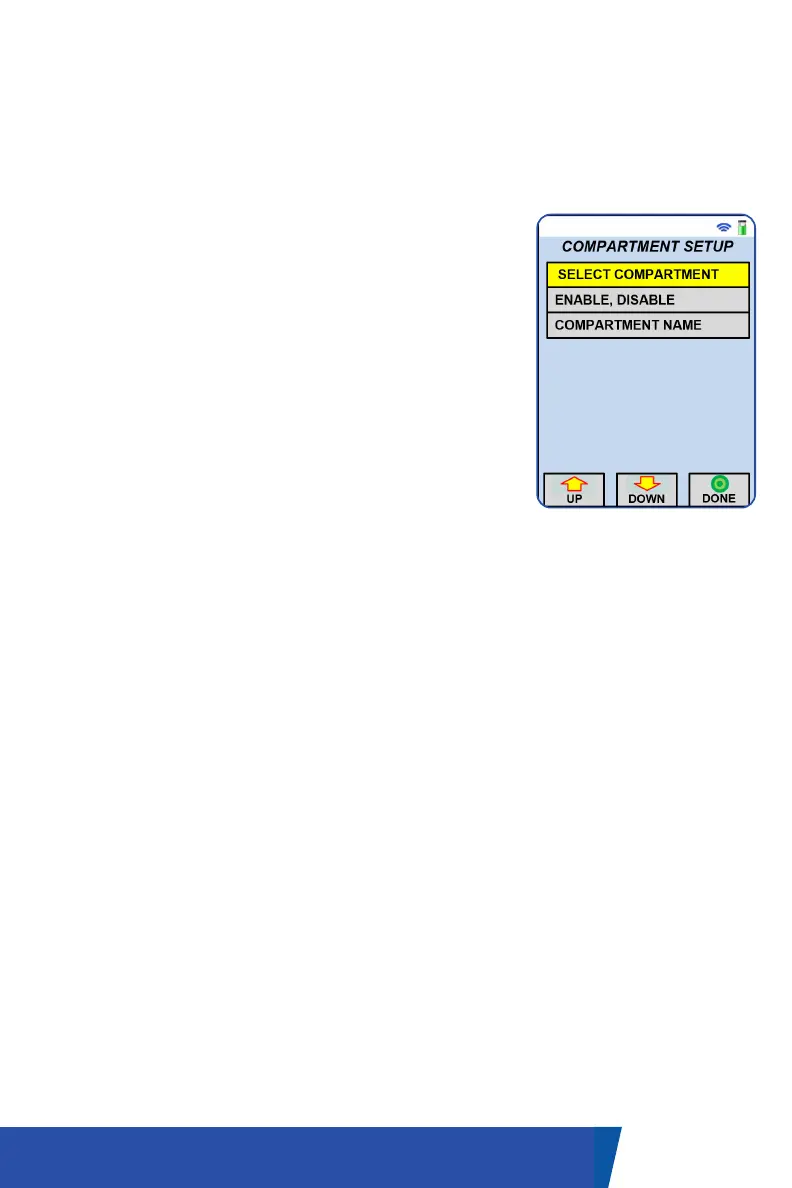
Compartments can be renamed or hidden from
the quick list (available from the dedicated
Compartment button).
• In order to rename or enable/disable, select
the ‘Compartment Setup’ on the Main Menu
screen.
• In the Compartment Setup screen, select the
compartment entry to edit in the first row. The
name and enabled properties have the same
function as for Register Setup screen.
• The Product Name, Code and Type fields are
opportunities to assign what is contained in
the specified compartment. The Register field
is for assigning which register must be used to
access the product in the compartment. Note
that the Register Setup must be completed
before performing the Compartment Setup.


 To Next Page