24UM-16-012
SYSTEM MAINTENANCE
TROUBLESHOOTING
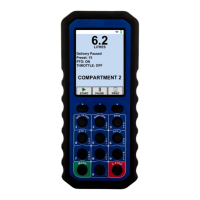
Little maintenance is required. Regularly checking the condition of the
handheld, verifying that the display activates correctly, and ensuring
communication is functioning properly between the handheld and the truck is
all the maintenance that is necessary.
• If one of the system checks fails, contact BASE Engineering to
troubleshoot your handheld unit.
• Handheld repairs or modifications must be done by BASE Engineering to
maintain your warranty or certification.
Symptom Reason Try
The handheld will
not turn on when
MENU is pressed
The battery may be
dead
• Slide handheld into charging cradle
• Make sure that the charging cradle green light
turns on
• Press and hold MENU button for 5 seconds
• If handheld still does not turn on, call BASE
Technical Support for assistance
Handheld is not
charging when
docked
The charging cradle
is not powered up
• Check to see if the red power light or the green
active light on the charging cradle is lit
• If all lights are off, check all connections
• If red power light is on, remove handheld from
the charging cradle and reinsert into it
Handheld is not
communicating
with the receiver
Handheld and
receiver are not
paired
• Pair handheld to receiver using the instructions
outlined in the “System Pairing (Dedication)”
section of this document
Handheld is out of
range with receiver
• Use the “Radio Diagnostics” from the “System
Testing” section of this document to find the
source of the obstruction and where the radio
signal is weak


 To Next Page