20UM-16-012
SYSTEM TESTING
EMERGENCY STOP TESTING
The system should regularly be powered up and tested in accordance with
DOT documentation requirements.
1. Power up the receiver unit and ensure the
POWER/ACTIVITY LED is illuminated.
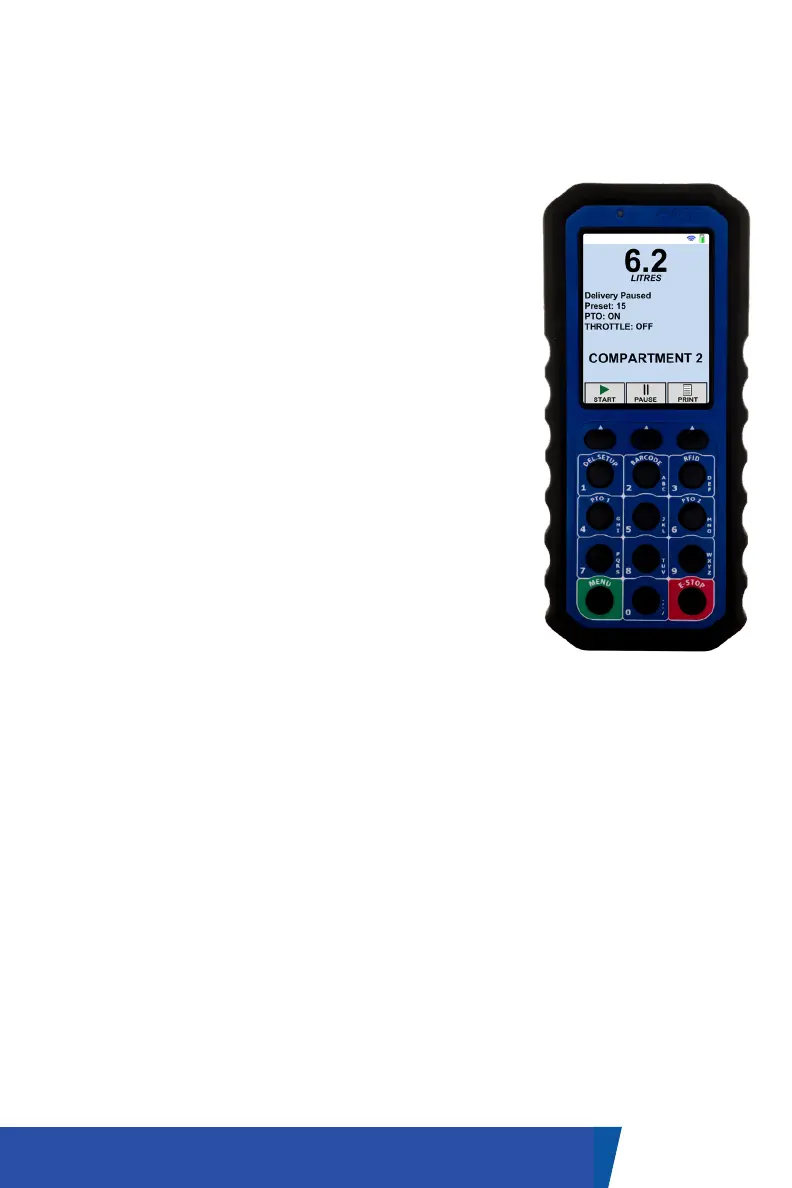
2. Power up the handheld by pressing the green
menu button until the display is active.
3. Press any button on the handheld and verify
that the screen displays the
appropriate message.
4. Check for proper operation of all radio remote
command and machine
functions from the maximum range/distance
that will be encountered in day-to-day use.
5. Press the transmitter ’Emergency Stop’ button
and you should observe the machine operation
stop.
6. Cycling the power to the receiver unit will re-arm
the system making it ready for use.
NOTE: The transmitter cannot be used to reset the system following the
activation of the emergency stop feature. This has been designed into
the system software to prevent accidental re-opening in a panic situation.
Pressing the transmitter repeatedly will send the same “stop” message.


 To Next Page