22UM-16-012
SYSTEM PAIRING (DEDICATION)
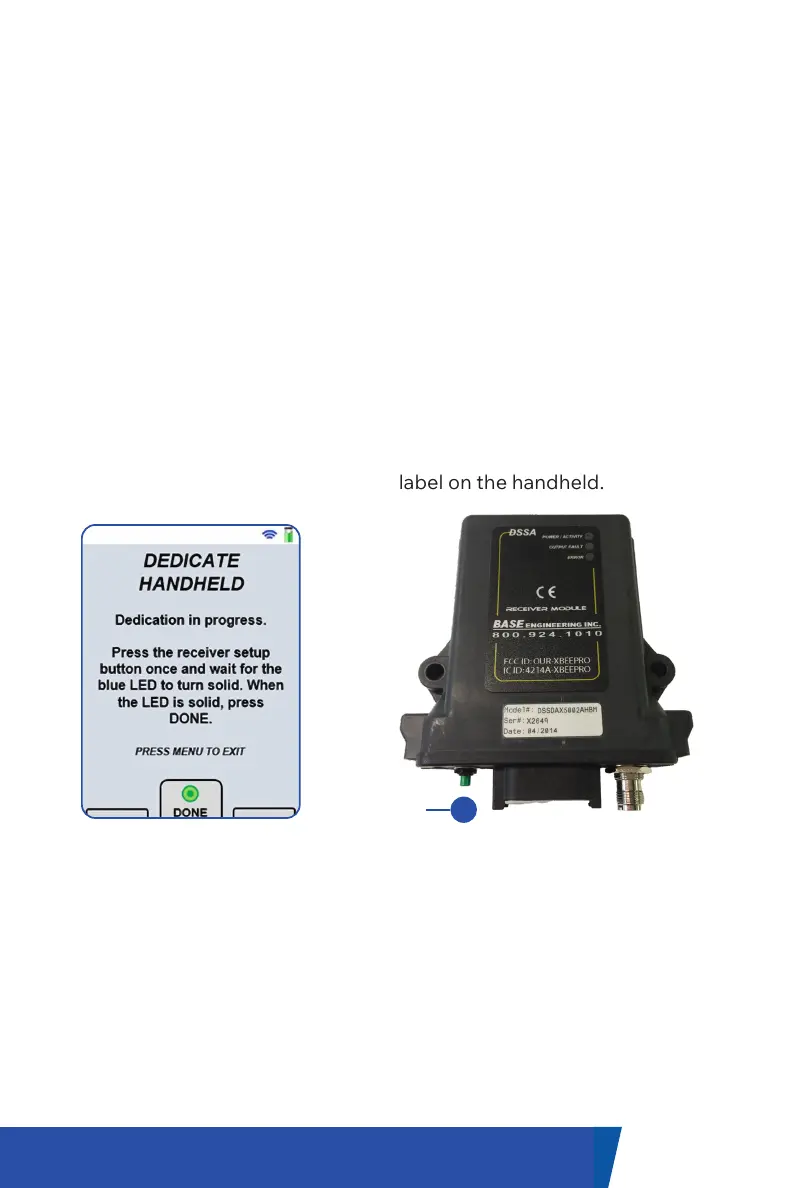
DEDICATION SCREEN
The wireless control system is supplied from the factory fully programmed
and ready for use, however, the following procedure can be used to re-
program / dedicate a replacement handheld or receiver unit in the field.
1. On the handheld, enter the main menu by pressing the green ‘Menu’
button.
2. Using the navigation buttons, highlight ‘Dedicate Handheld’ and press the
navigation button under the ’Select’ label.
3. Follow the instructions on the screen.
4. Press the ‘Setup’ button on the receiver 1 time. Wait for the blue LED on
the receiver to stop flashing. The red LED should not flash.
5. Once the blue LED has stopped flashing on the receiver, press the
navigation button under the ’Done’ label on the handheld.
Setup


 To Next Page