Product information Syscompact 2000 M pro
/ 98 822-175-2
No. Element Function
16 User interface Is used to display and evaluate the traces
Further information: Chapter IRG 2000 user interface (on page 24)
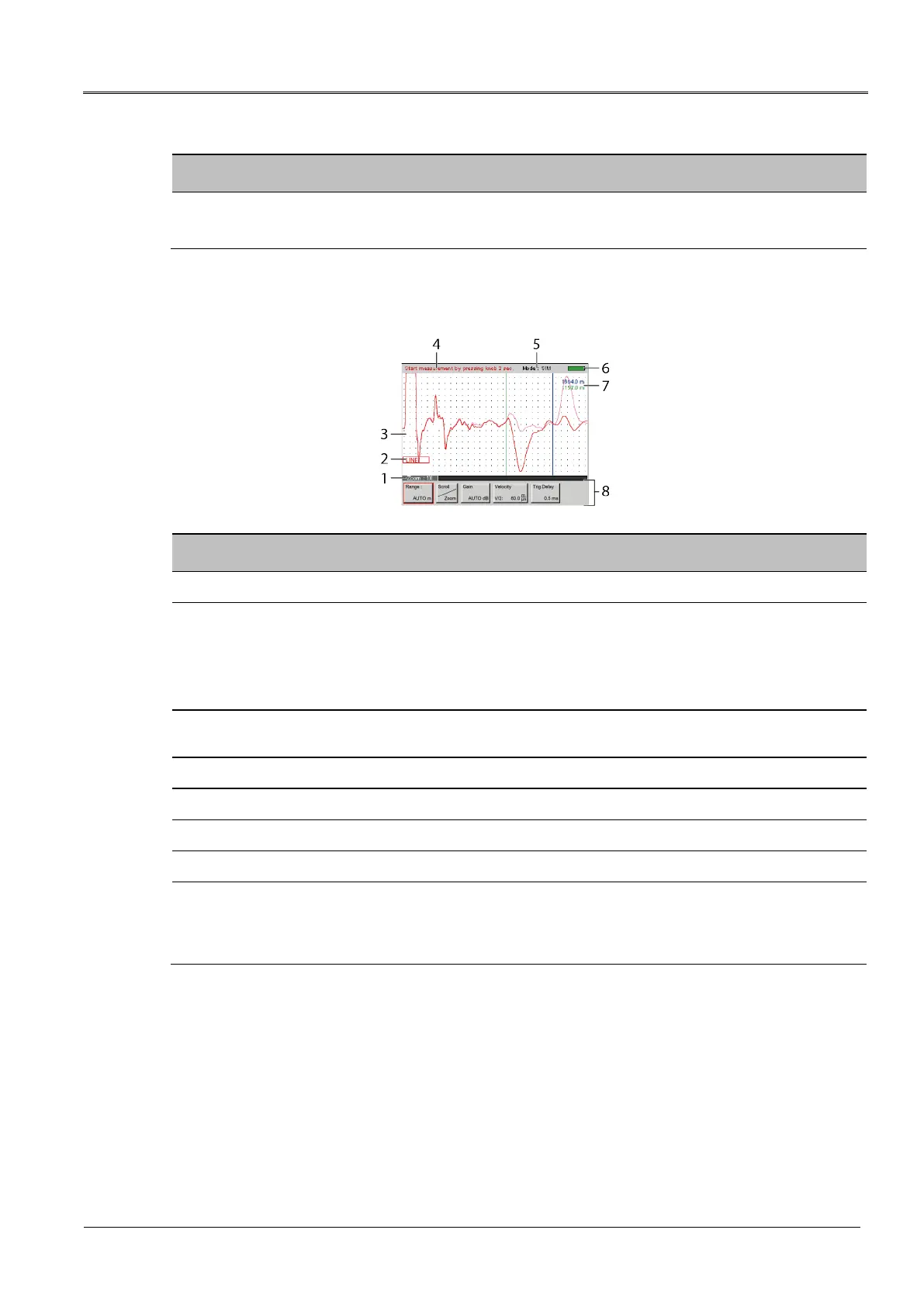
IRG 2000 user interface
No. Element Function
1 Zoom Shows whether the view of the reflection image has been enlarged
2 Red outline Shows which trace is currently being displayed:
LINE: Trace of the last measurement
REF: Reference curve
File #: Saved trace of a previous measurement
3 Reflection
image
Displays the traces and cursors
4 User support Shows which step is next in a measurement and gives the user additional support
5 Method Displays the selected measurement method
6 Charge status Displays the IRG 2000 battery charge status
7 Cursor distance Shows the distance of the cursor from the zero cursor
8 Buttons Provide functions for setting and evaluating measurements
Various buttons are displayed depending on which key on the IRG 2000 is pressed.
Further information: Chapter IRG 2000 time domain reflectometer (on page 21)



 To Next Page